WordPress SEO Plugin
WordPress SEO is the most complete WordPress SEO plugin that exists today for WordPress.org users. It incorporates everything from a snippet preview and page analysis functionality that helps you optimize your pages content, images titles, meta descriptions and more to XML sitemaps, and loads of optimization options in between.
There's a full feature list for the base plugin below. If you want, you can also read more about the add-on modules that are being developed for this plugin. Currently there's three of them in active development: News SEO, Video SEO and Local SEO, with News SEO being available for download. The latter two will be paid add-on modules, developed by Yoast with the help of subject matter experts. For a small amount you can boost your blog in the specific area's where you need it!
If you're looking for a consultant to help you out with how to best optimize your site, look no further and hire Yoast, either for a website review or as your WordPress SEO Consultant!
WordPress SEO Plugin feature list
Check out the feature list:
- Post titles and meta descriptions
- Robots Meta configuration
- Canonical
- Breadcrumbs
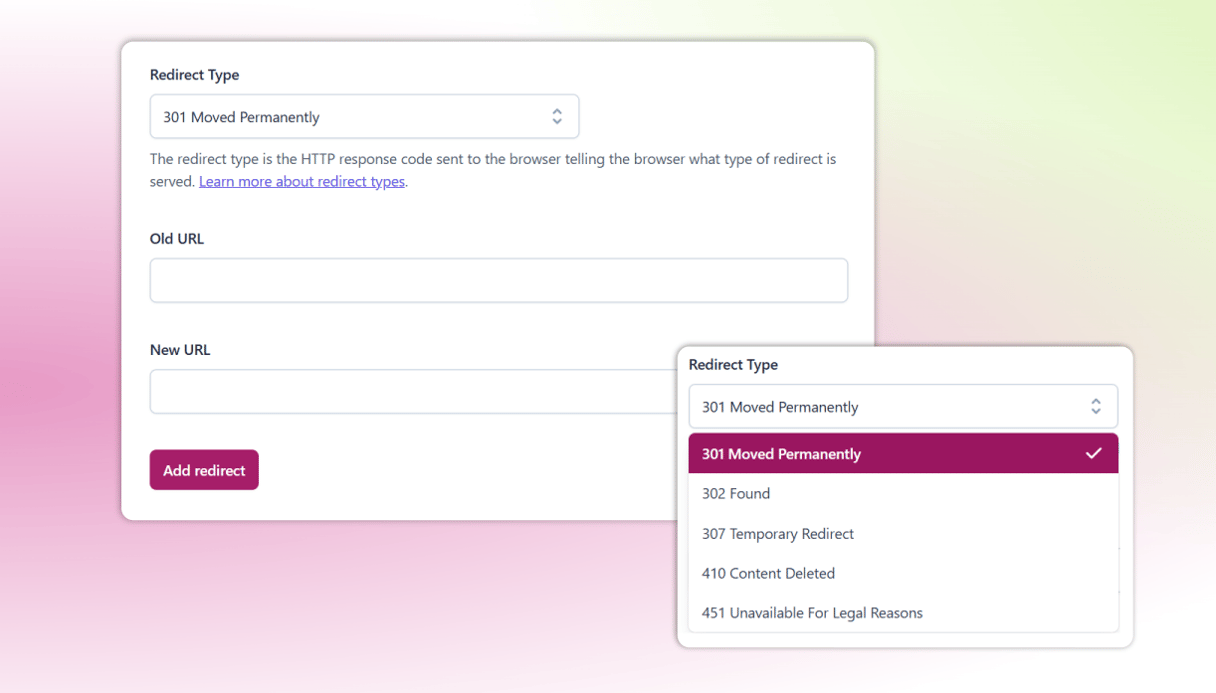
- Permalink clean up
- XML Sitemaps
- RSS enhancements
- Edit your robots.txt and .htaccess
- Clean up head section
Post titles and meta descriptions
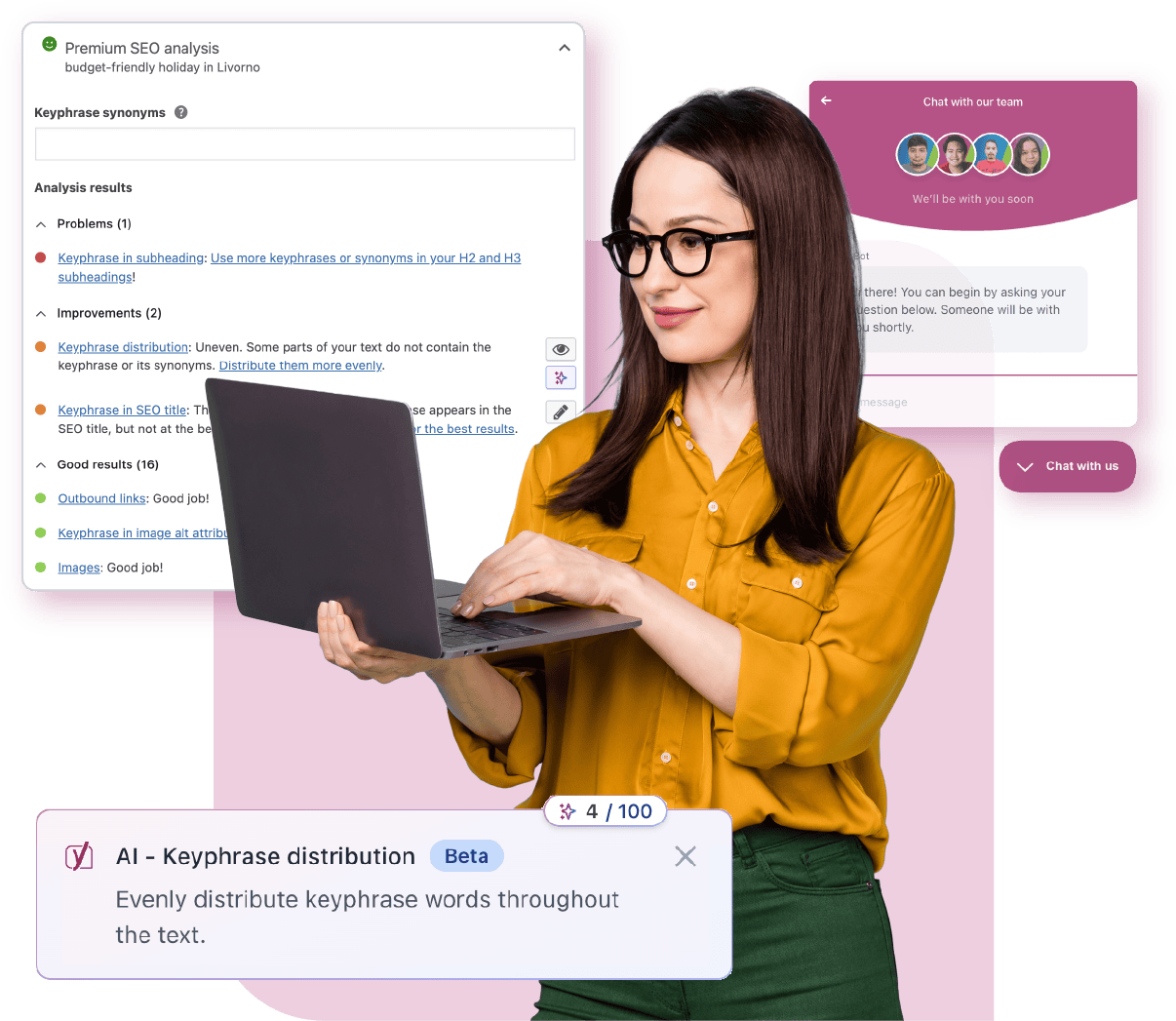
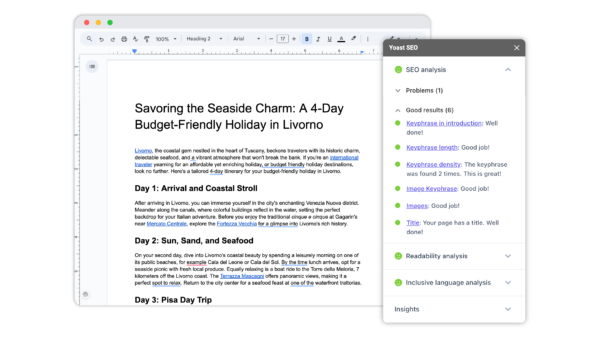
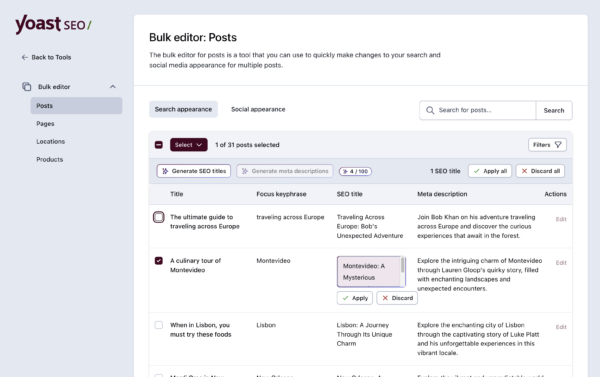
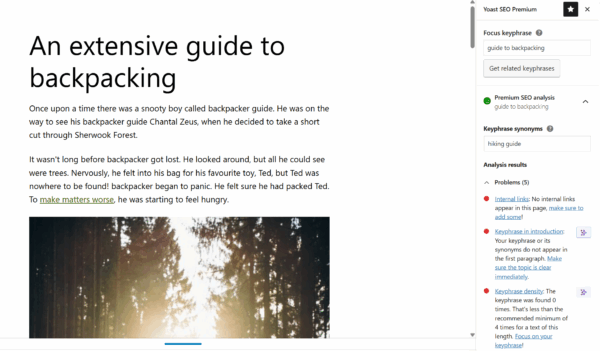
WordPress SEO let's you set templates for titles and meta descriptions for all types of pages, so you could come up with a template and not have to think about it, or you could use the WordPress SEO meta box to completely optimize your post title and meta description, using the snippet preview functionality to see what it would look like in Google. Add to that the chance to enter a focus keyword, which is used to show you how it would bold in your search results, and you have the chance to control everything you want about your listing in Google (click for larger image):
As you can see, the plugin automatically tests the important area's of your content for usage of the focus keyword, so you can truly optimize your page for the term you need.
Robots Meta configuration
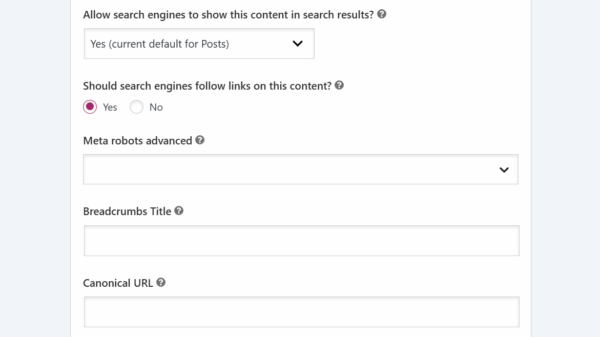
Whether you want to keep a single post or page out of the index, or you prefer to keep entire sections of your site unfindable: the WordPress SEO plugin has your back. Hidden by default under the "advanced" button is a meta robots settings block that allows you to choose any setting you want on a per page basis:
But you could also choose to noindex a certain category, tag or custom taxonomy (or give it a unique title and meta description):

Category noindex or Title and Meta Description
This works for all tags, categories and custom taxonomies. As you can see there are two other yet unexplained features there, canonical and breadcrumbs. Let's touch on those:
Canonical
When Google introduced the canonical link element, to distinguish the "original" page from derivative pages within your site carrying the same content, they reached out to me to develop a WordPress plugin for it, and I did. Later on, canonical link elements were added to core. They work fine, with one caveat: they only work for single posts and pages, not for categories and tags, not for the homepage. The WordPress SEO plugin fixes that, and sets the correct canonical on each of those pages.
Breadcrumbs
The Yoast Breadcrumbs code has been powering many (premium) themes breadcrumbs for ages. Using the same code, the WordPress SEO plugin now gives way more granular control over this breadcrumb. You get to determine, for each post type, which taxonomy to show. You get to determine for each post, page and taxonomy, what title to use for that specific entity in the breadcrumb paths it appears in. Full control, that's what this entire WordPress SEO plugin is about.
Permalink clean up
Don't you hate it when someone adds /2 to the end of a link towards you? Or links with all weird variables at the end of the URL? You have a solution now! Just checking one box will redirect all that stuff away, and make sure that your content is always found under the URL you want it to be found under. If you use a Google Custom search engine, checking another box will prevent that from breaking down while using this function.
XML Sitemaps
XML Sitemaps are an essential part of current day SEO, and can thus not be excluded from a complete WordPress SEO plugin. While there are other WordPress XML Sitemap Generators out there, they don't talk to your SEO plugin. Meaning that if you noindex a page, preventing it from showing up in Google, it might still be in your sitemap. They also don't allow you to keep certain taxonomies out of your sitemap. This plugin does. And, to boot, it makes your XML Sitemaps look good by using an XSLT stylesheet on them, so humans can read them too.
RSS enhancements
My RSS Footer plugin used to allow you to add a piece of content to the beginning or the end of posts in your RSS feed. The WordPress SEO plugin goes one step further and allows you to add content to both of them, allowing you to link back to your blog and the specific blog post, which is very helpful when you have a lot of people scraping your blog.
Edit your robots.txt and .htaccess
Editing your robots.txt and .htaccess files has never been this easy: you can edit them straight from the Files menu of the WordPress SEO plugin, so you can easily check and or update those files and keep it all nice and clean.
Clean up head section
With recent releases, WordPress has added more and more bloat to the <head> section of WordPress installs. Luckily it also has methods to remove those. Checking a few boxes in the backend will make sure your blog doesn't give out any of its secrets.
Testimonials for the WordPress SEO plugin
More and more users of the WordPress SEO plugin have <a href="http://yoast.com/wordpress/seo/wpseo-testimonial/">left their testimonial</a> for the plugin, some of these reviews are shown below:
A Plugin that Teaches You to be Better at SEO
I've been using Wordpress SEO on my website, www.SkypeEnglishClasses.com, since it came out. My favorite aspect of it is that it actually helps you to be better at SEO writing. Now I always think if a focus keyword, and then use the tools provided to help me be sure that I've got it in the right places. Before, I didn't have such tight focus on my work. I feel that the snippet preview really helps me create titles and descriptions that look good in the serps.
Overall, I love it. Once my business is ready, I plan to donate. In the meantime, I'm glad to be able to tell others how much I love this. Least I could do.
Yoast's WordPress SEO plugin moved my posts from obscurity to the first page in Google! THANK YOU!
Joost:
I wanted to take a moment to thank you for the Wordpress SEO plug-in. What an exceptional tool. In a very short time, the posts on one of my "nearly new" sites have moved from obscurity to the first page in Google for my targeted keywords.
Lest you think this was an easy task, I'll have you know I specifically targeted a two word phrase that Google identified as a breakout trend. I never actually expected to find my site on the first page of Google for that phrase... I hope who ever is reading this has an idea of just how thrilling it is to have your posts rank on page one of Google for a highly valued key phrase. If you don't know yet, allow me to suggest that you get the WordPress plugin by Yoast!
The plug-in is very much like having a coach who helps you while you write each post. It provides a solid framework and essentially walks the writer through a process that touches on the major SEO optimization elements. There's actually a scorecard that ensures the author gets the SEO right. As a bonus, getting the SEO right also makes the post a lot stronger from a writer's perspective as well.
Amazing work Joost... Amazing! What's more, I'm pretty sure I haven't even scratched the surface of the functionality you've built into the plug-in.
I'm going to add it to all my other WordPress sites and use it on all of them.
THANK YOU!
SEO made easy
In the last two years I've been learning and applying SEO as I go, and chose WordPress as my CMS for myself and client websites. I was lucky enough to stumble across Yoast's WordPress SEO plugin quite early on, and could see right away that it supported the main things I knew I needed to do to SEO theWebalyst.com.
My main activity has been blogging. Writing a blog post is a regular task, so it helps if everything I need to do when I write it is quick, easy and there where I create the post. Setting categories and tags, the title are there, and what Yoast's plugin does is bring the SEO there too, and integrate it perfectly with the other post (or page) composition funtions.
Yoast's plugin brings in the meta descrtiption, and provides a preview. It reminds me (actually it teaches the importance of) focusing on a keyword for each post, and lets me know if I've included this in three key areas of the post (title, meta description and content).
As I alluded to earlier, it does a lot more. Not least its wonderful sitemap feature, but I'm sure there is more I've yet to make full use of too.
So does it work? Well, all I can do is say I'm having success with my blog. Traffic is up steadily over the last few months and I am on the coveted first page of Google for some worthwhile keywords. Not just because of this plugin, but certainly with its help.
Thanks Yoast!
Oh, and I'm a really tough customer to please when it comes to UI so getting a 5* rating from me is testimony to Yoast having done a great job in this area too.
Mark (in London)
First plugin I install every time!
I have been using the WordPress SEO plugin across a dozen WordPress blogs I maintain, and compared to the blogs I run where it has not been installed, the ranking and SE discovery goes much faster and higher!
- Vincedia
A badass SEO Plugin
Yoast is the man when it comes to SEO, just ask Google. I install his SEO plugin on every single Wordpress site I own. Not only does it provide a heap of functionality that you would normally need several plugins for, it also helps make sure your content is optimized as much as possible and makes suggestions when needed.
Go-to SEO
First I was using a different SEO plugin for WordPress, but I also had a plugin to generate XML sitemaps and one to remove the /category/ on urls. Besides that, the SEO plugin was overcomplicated. I really like the way WordPress SEO suggests standard settings and is so easy to use. It's become one of the first plugins I just install on each WP site I create.
Better Than Any Other SEO Plugin
I think WP is critical for setting up a site that's optimized for people (first) AND search engines (second).
Even with Thesis (which has some inbuilt SEO tweaks) the WP SEO plugin is critical. And it's 500% better than the 'other' SEO plugin. I use this on every site I install, whether my own or a client site (currently at 8 and counting).
I particularly love the way it gives a real-world preview of the Title and Description meta as it appears in the SERPS.
Does some real kickass stuff right out of the box too. The complicated stuff is just automatically coded into the settings.
SEO Perfection - The Standard For WP SEO
SEOgadget used to rely otn the 'all in one' seo pack. There were issues and compromises in that particular platform that, for a long time were simply tolerated. Then the Yoast SEO plugin came along.
If you're using another seo plugin, the built in import feature handles the migration seamlessly - it's so easy!
Joost has single handedly given the wordpress community the complete answer to a well optimized WP website in one plugin. It's the best practice standard - go install it now!
The Best SEO Plugin For WordPress, Hands Down!
I have been writing plugins and themes for clients for the last 4 years. I can honestly say that there is no other SEO plugin that does more, and does it as well as Yoast's WordPress SEO Plugin. This plugin works so well that I have started recommending clients use it, before I sell my own services to them. I use this plugin on all my sites and you should too!
- Joe Hall
Replacing 5 others
One of the biggest advantages of the Yoast SEO plugin is the fact that it's also replacing more then 5 other plugins, I used before.
Now I have 1 central plugin who handles sitemaps, seo things, Facebook open graph fields, cleaning up the header-part,...
I only installed the Yoast SEO plugin when it's released the 1.0 version, but I now regret I didn't use it already before.
The New Rules of SEO Plugins
I'm somewhat new to Yoast's WP SEO Plugin, but when using this plugin, gone are the simple handshakes with the search engines and now you've got a great big bear hug to signal them in every little way. All of the signals that you can send, from large to small, add up to big results. Thanks Yoast!
Best SEO plugin ever
Yoast, I have been using your various other plugins separately and was good to see them all together in your WordPress SEO plugin. This is the real All in one SEO plugin ;) I am using this for all my sites and client sites. The best feature I like is the focus keyword which gives me all popular keyword searches at once.
- Ravi
Simple, effective, fast
Simple, effective, fast - the perfect solution for my website. Highly recommended!
A "must have" plugin
I use the WordPress SEO plugin by Yoast for a whole lot of reasons – not all of them SEO related!
Not only does it give you powerful controls over your titles and meta descriptions, and lets you apply noindex, nofollow or noarchive to individual pages and posts it also gives you three other plugins in one!
– it gives you granular control over how your breadcrumbs are displayed
– it can add content to the beginning or the end of posts in your RSS feed, like "this post is copyright, so don't scrape my site!"
– it can create your XML Sitemaps (an SEO "must") and, what's more, the XML sitemap it generates is aware of the noindex changes you have madeFurthermore, it provides a helpful editor for changing the .htaccess and robots.txt files – previously one of my biggest pita tasks.
It can also strip out the date from your meta descriptions, it can strip the /category/ from your category pages URLs, and get rid of extraneous code from the section.
It even does a data transfer from other SEO plugins – it copied all my titles and descriptions from Headspace2 with no problems.
I wrote more about it here: http://www.wordpressseomarketing.com/wordpress-seo-plugin-by-yoast
The absolute best SEO plugin for WordPress
When I first used the SEO plugin, I was amazed that it replaced several plugins that I had used for years to do basic SEO on sites, yet this one provided so much more functionality. Not to mention that it makes some very educated suggestions on how to maximize your SEO efforts. The last site I used the plugin on was indexed and on page 1 of Google within a week. Oddity, or great plugin? I say GREAT plugin.
Weapon of choice
After trying several SEO wordpress plugins i can say confidently that Yoast's WordPress SEO Plugin is far superior and overall easier to use than most of it's competitors, I've been using it for sevarl sites for at least 6 months and never missed the feautures any of the other plugins offered, in fact, if I had to i'd faind it hard to go back from Yost's Wordpress SEO plugin.
Best SEO plugin for Wordpress
The Yoast Wordpress SEO Plugin is one of the few "Must Have" plugins for anyone using Wordpress. The plugin is feature rich and very user friendly making it an effective choice for beginners and experienced users alike. I would highly recommend using it with any Wordpress site.
Keeps me on my toes
The Wordpress SEO plugin has made me aware of issues I might never have noticed and made much of the work easier. I used to hand carve all of my pages back in the mid nineties but I couldn't get away with that any more. This tool is a lifesaver.
Thank you, Joost!
I can't tell you how happy I am to have Wordpress SEO. It's exactly the SEO plugin I always secretly wanted all those years I was settling for increasingly bloated and decreasingly functional "all in one" plugins.
Wordpress SEO rocks
For the total all round solution to SEO on Wordpress it does not get better than the plugin made by Yoast. Unrivalled flexability and unseful analysis of pages with tips and suggestions for on page SEO. Ideal.
Subscribe to the RSS feed or to weekly email updates, right now!