

SEO keeps changing. Yoast keeps up, so you don’t have to
Yoast SEO Premium
Your content deserves to be found. Yoast SEO Premium tells you what to fix, drafts what’s missing, and handles the technical side in the background. No SEO expertise needed.
What stops being manual

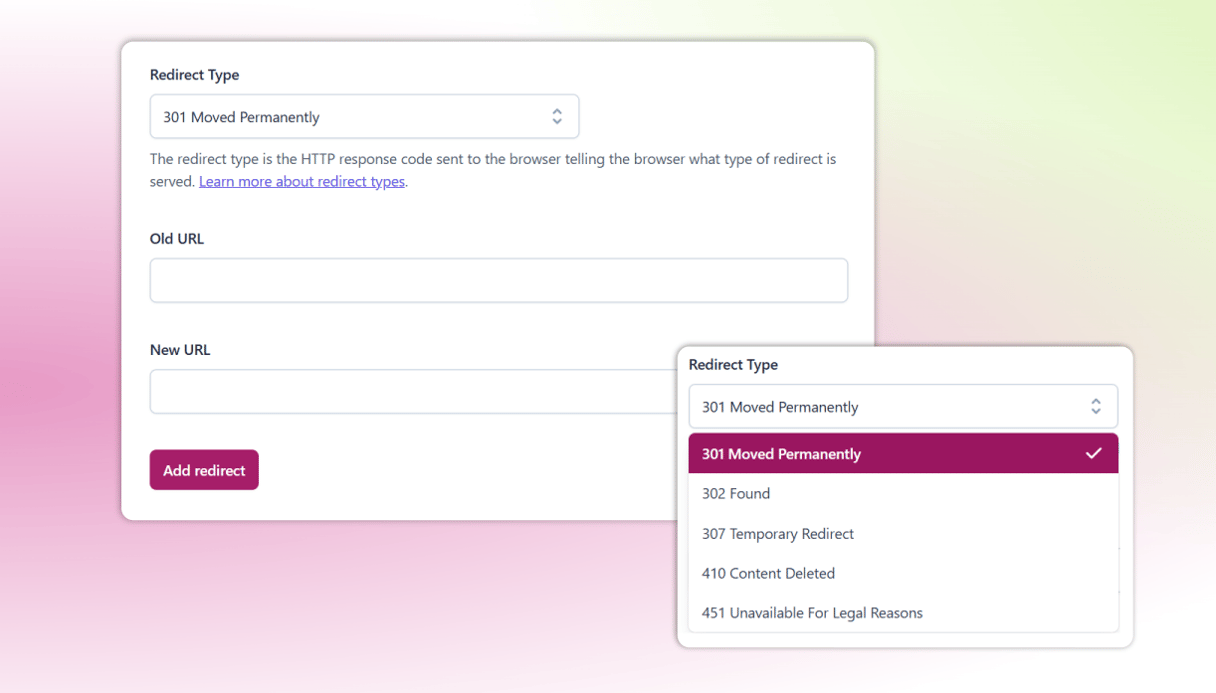
Keep every old URL working
Move or delete a page and Yoast prompts you to set up the redirect. Visitors and search engines both end up where you meant them to. You can manage redirects in bulk by CSV.

See one post from several angles
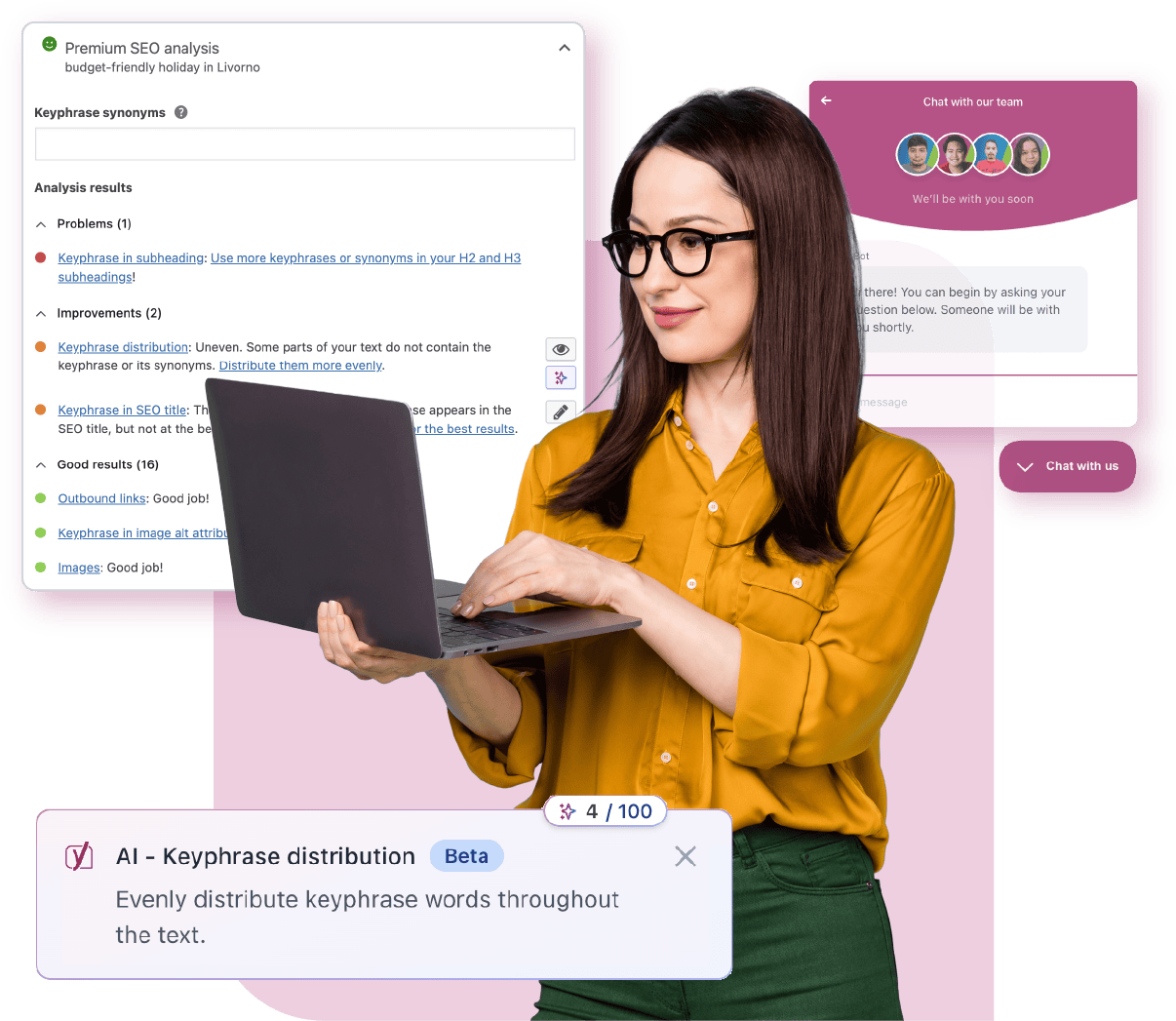
A post rarely serves one search. Check it against up to five keyphrases, your term and your customer’s and the question they type, so you stop guessing which one was right. Synonyms and word forms count, in 20+ languages.

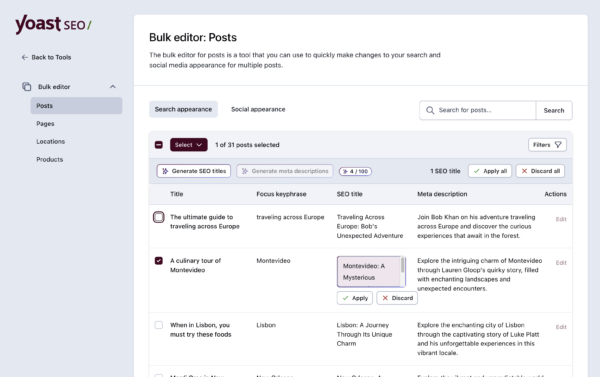
Fill metadata gaps in bulk
Filter for the pages missing titles or descriptions, let AI draft them, then approve in bulk. Social sharing titles and descriptions too. Nothing saves until you have reviewed it.

Start from a draft, never a blank page
Open a new post and the Content Planner suggests five ideas drawn from your own site, then builds a structured starter draft. The ideas fit what you already publish.

Find the pages nothing links to
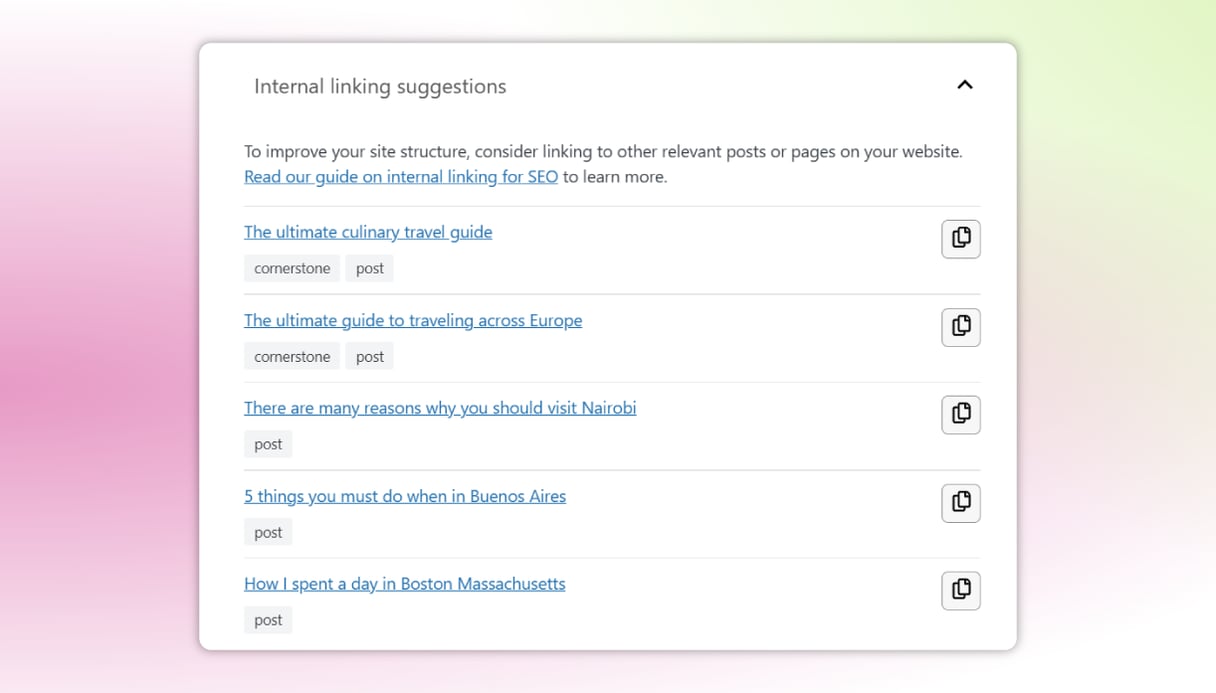
Yoast suggests relevant pages to link to as you write. The orphaned content workout shows which posts have nothing pointing at them, so readers get a clearer route through your site.

Get an answer at any hour
Support runs 24/7, staffed by people who do this daily. No queue system and no waiting until Monday. Yoast SEO Academy is included too, if you would rather learn it yourself.
Yoast integrates with





Save time with SEO tools that work for you

AI readiness
Search engines are not the only thing reading your site
People find content through AI assistants as well as search results, and both need to understand what your pages are about. Yoast SEO Premium handles that groundwork for you.
- Structured data, a standardized way of describing your content to machines, is generated automatically. Yoast SEO Premium covers a wide range of it, including the experience, expertise, authoritativeness, and trustworthiness signals that help systems understand who you are.
- Schema aggregation collects your site’s structured data into one deduplicated graph, so an AI agent gets a complete picture in a single request. It’s a single toggle.
- Bot blocker lets you choose which AI systems may use your content for training. As a result, you decide what gets used and what doesn’t.

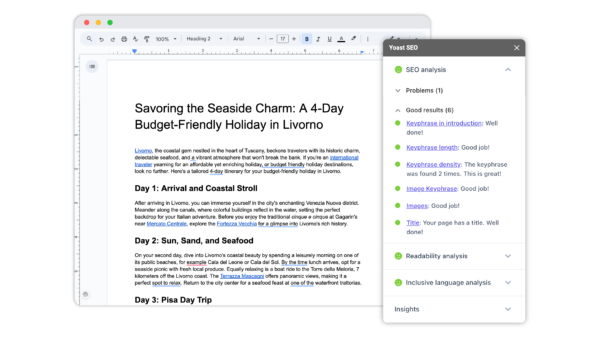
Your whole team, writing SEO-ready content
Do more in Google Docs
Get the Yoast SEO guidance your team already trusts, built directly into Google Docs. Writers and freelancers can contribute fully optimized drafts without needing access to your website, and everyone writes to the same standard from day one.
- No WordPress access needed for contributors
- Fewer rewrites, faster review cycles
- One seat is included. You can add more for the rest of your team at $5 (excl. VAT) per month each.
Speed up your SEO with AI-driven guidance
Let AI draft the parts nobody wants to write
Spend less time on metadata and more time on the work that grows the business.
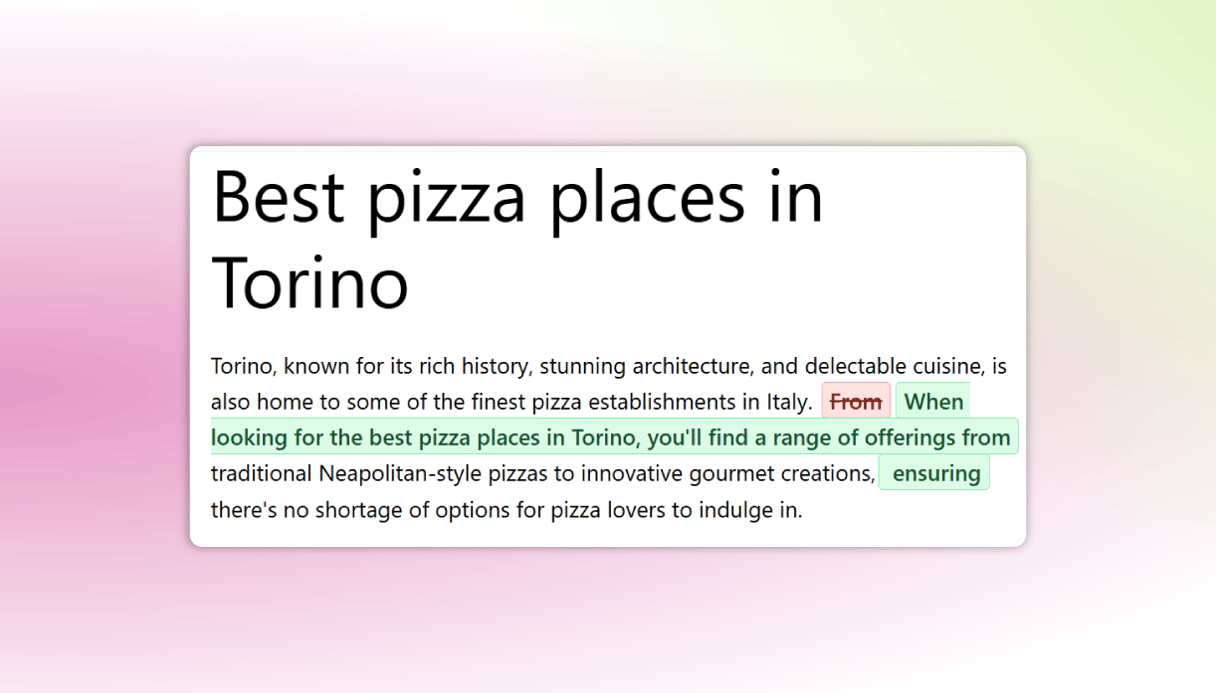
- Draft SEO titles and meta descriptions with AI by page or in bulk
- Review every suggestion before it saves
- Turn a long post into a working meta description
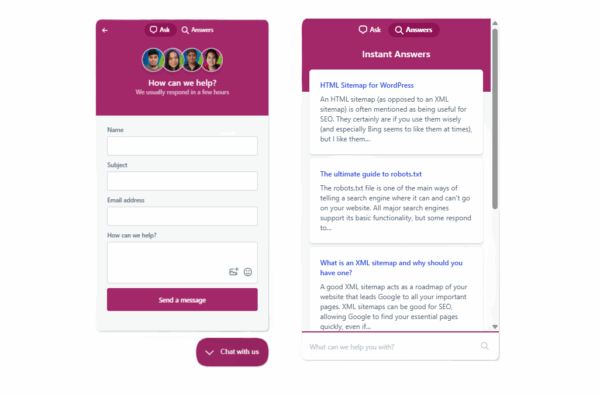
Access 24/7 expert support
Get help while working on your SEO
There’s always someone to ask, whatever time it is.
- Get 24/7 expert support
- Learn at your own pace with Yoast SEO Academy
- Find answers yourself in the help center
Technical SEO without the hassle
Let Yoast handle the technical side
Yoast takes care of the technical groundwork in the background.
- Catch technical problems early
- Yoast generates your XML sitemaps and structured data automatically
- Keep your site readable to search engines and AI systems
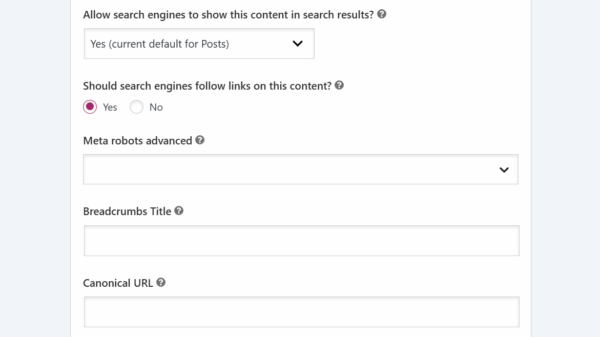
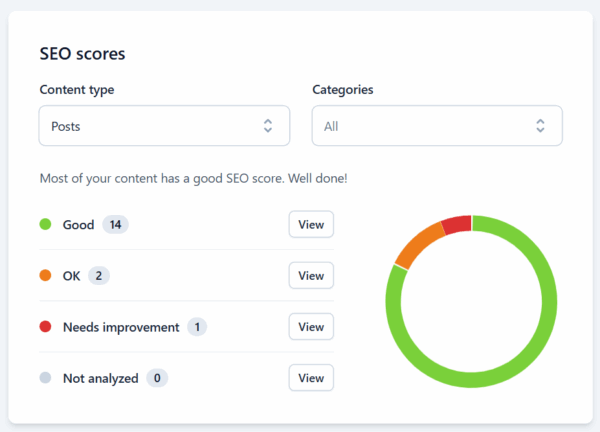
Clear feedback in real time
Easily create content that gets found
See what needs fixing while you write, not after you publish.
- See what to fix as you write
- Improve readability and structure
- Spot issues before publishing
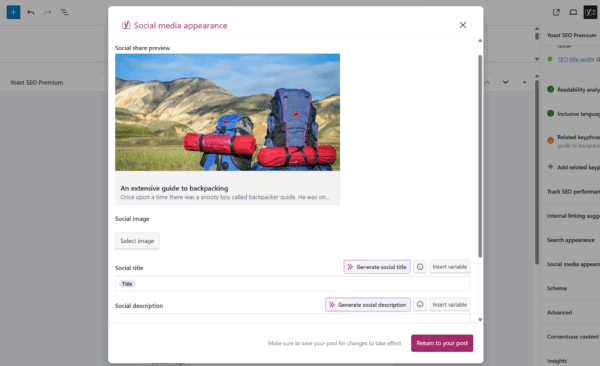
Social media appearance preview
Control how your content looks
See how a post will look on Facebook and X before you publish. Change the title, image, or description if it isn’t right.
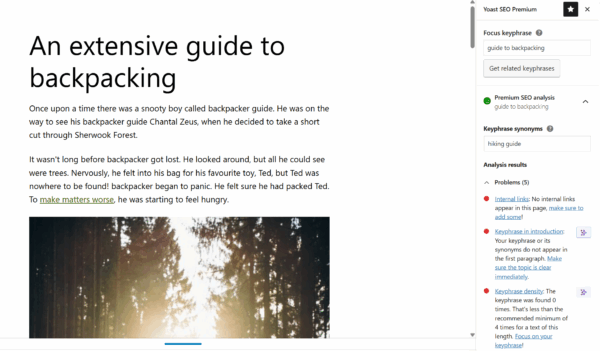
Optimize for more than one keyphrase
Reach a wider audience with the same content
Check the same post against the different ways people search for it.
- Optimize for up to five keyphrases per page
- Keep the writing natural while the analysis keeps up
- Synonyms and word forms count too
Yoast SEO Premium now includes

Helps search engines understand and display your business locations accurately, whether you have one or fifty. Includes location pages, opening hours, a store locator, and Google Maps embedding.

Helps search engines discover and index your videos, with structured data that can produce thumbnails and timestamps in results.

Helps news content get indexed quickly, with XML news sitemaps, news structured data, and per-article controls.

Ready when you are
Get ahead of the game with Yoast SEO!
Everything you need to help your site get found, in one plan: real-time guidance, AI-assisted drafting, automated technical SEO, structured data, and expert support.
- Trusted on 13 million sites
- Tracking algorithm changes since 2010
- Built for every level of expertise
Questions & answers
One subscription covers one site or domain. You can buy more than one subscription if you run several sites, and you choose how many at checkout. Bulk purchases qualify for a discount.
The plan includes the Yoast SEO Premium plugin, plus the Local SEO, News SEO, and Video SEO plugins. You also get one seat for the Yoast SEO Google Docs add-on, full access to Yoast SEO Academy, and 24/7 support.
Yoast SEO Premium subscription can be used on 1 website or domain. You can use Yoast SEO Premium on multiple websites by purchasing more than one subscription. You can choose how many sites you need it for on the check-out page. If you’re buying in bulk, you also get a discount.
If you have any trouble or you’re simply not sure how to get started, check out our Yoast SEO Premium installation manual.
Yes! You can easily add and remove sites in MyYoast, we have a step-by-step guide that outlines how to connect a Yoast SEO subscription.
The analysis works in more than 20 languages. Check the language availability list for the current set.
You can use your Yoast SEO Premium on your staging site. Simply add both your live and staging site in MyYoast and transfer subscription(s) between the live and development site. You can follow the guide on how to add and remove sites in MyYoast.