

What’s new in Yoast SEO 28.4: find, fix, and generate at scale
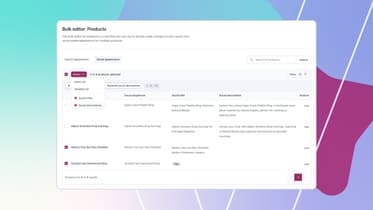
The Yoast SEO Bulk Editor already helps you update titles, meta descriptions, and focus keyphrases across your whole site, filter by content type, and let Yoast AI draft metadata you approve before it saves. This update builds on that: it’s now easier to spot exactly which posts need attention, catch AI suggestions that need a second look, and get started without leaving your regular post list.
Here’s what’s new.
Find weak fields in seconds
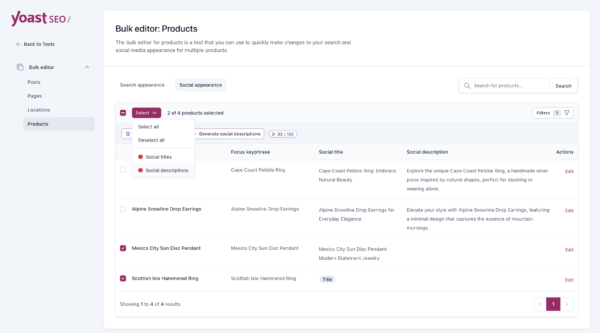
The Filters dropdown now includes “needs improvement” options for SEO title, meta description, social title, and social description. Turn one on, and the bulk editor shows only the posts where that field is empty or scoring poorly, using the same scoring your post editor already relies on.
Once you’ve found them, you don’t have to select each one by hand. New quality-based options in the Select menu let you select every post on the page that needs improvement in a single click, using that same score, so what you filter and what you select always agree.
Prefer working row by row? Shift+click in the Bulk Editor now selects a range at once, the way you’d expect from any table.
Catch weak suggestions before you publish
When you generate SEO titles, meta descriptions, or social copy in bulk, the AI does its best work with posts that already have some content to draw from. Previously, posts with very little written content could still generate suggestions, even though the input was thin, so you had no way to know which ones needed a closer look.
That’s why the Bulk Editor now gives you a built-in guardrail: after a generation run, it flags exactly which generated posts had limited content, so you know which ones are worth a second look. Add a bit more content, regenerate, and you’re set.
Start bulk editing from your regular post list
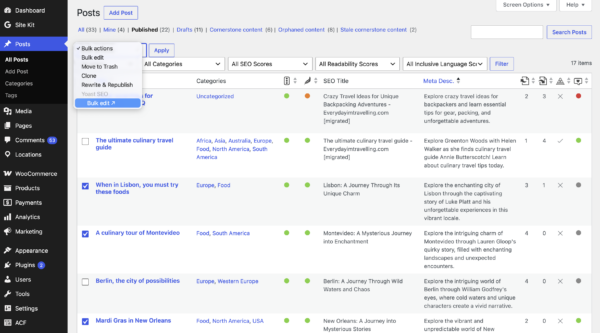
You no longer need to open the bulk editor separately to get started. Select posts, pages, or products from their regular overview screens, choose “Bulk edit” from the bulk actions dropdown, and your selection carries straight into the bulk editor, ready to go.
Keep working, even when your site is hard to reach (rolling out)
If Yoast AI can’t reach your site, for example because it’s behind a firewall, offline, or has the REST API disabled, you’ll now see an option to connect your site to MyYoast right from the error message, instead of a dead end. Once connected, Yoast AI keeps working even on trickier hosting setups. This is rolling out gradually, so you may not see it yet. You don’t need to do anything to prepare, you’ll be invited to connect right when it’s useful to you.
