

ONE PLACE TO FIND, FIX AND GENERATE METADATA
Bulk Editor
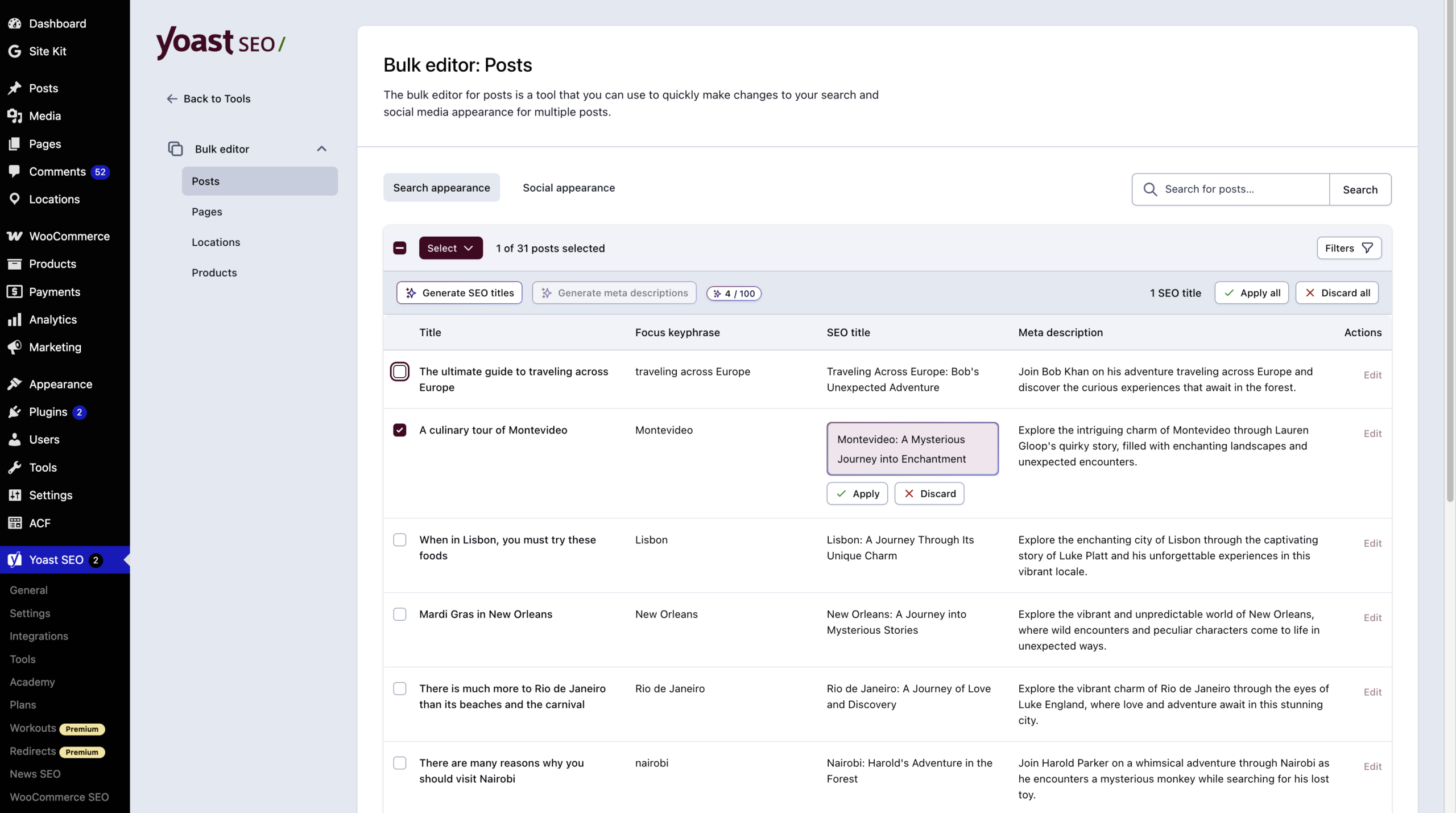
See titles, meta descriptions, and focus keyphrases for every page on your site in one view. Search for what’s missing and fix it in bulk. On paid plans, AI drafts the metadata for you, and nothing saves until you approve it.
Included in Yoast SEO, Yoast SEO Premium, Yoast WooCommerce SEO and Yoast SEO AI+


All pages, one view
Titles and descriptions, side by side

Perfect for handovers
Get an inherited site up to standard fast

Built for large sites
Whether you have 50 pages or 5,000
Why the Bulk Editor saves you real time
Every page on your site needs an accurate title and description. These are the words people see in search results before they decide to click. On a large site, updating them one by one is a task that never gets finished. Even when you can see what’s missing, writing hundreds of titles and descriptions by hand is a project nobody has time for.
The Bulk Editor brings everything together in one view. Search and filter to find what’s missing, make your changes, and move on. On paid plans, AI drafts the metadata for the content you select. You review every suggestion and decide what to keep.
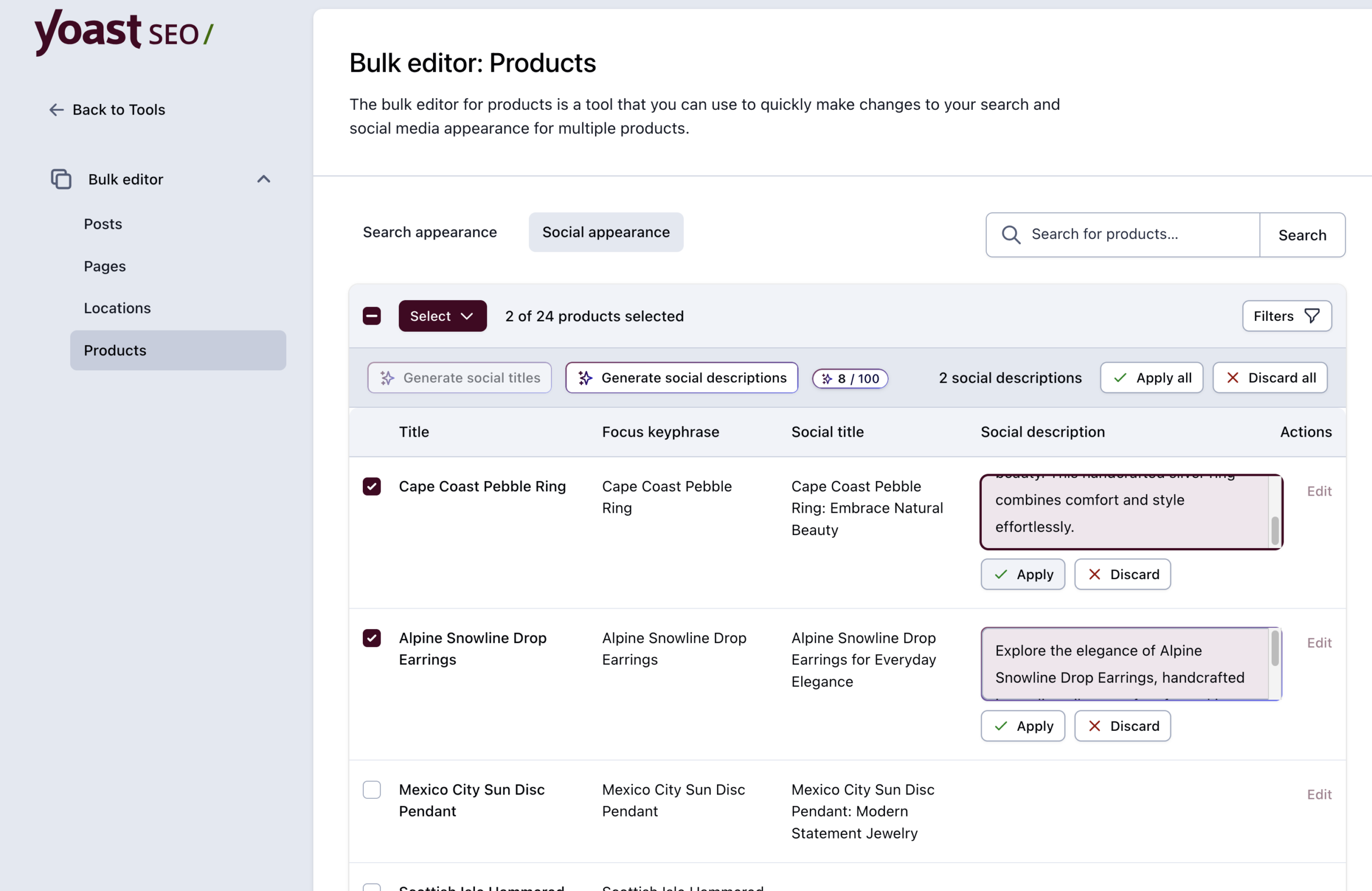
Running a store? The Bulk Editor scales to your catalog
With Yoast WooCommerce SEO, products and categories get their own views. Filter your catalog, spot the gaps, and fix them in bulk. On WooCommerce and AI+ plans, AI drafts the titles and descriptions, and you approve every change before it reaches your store.
The Bulk Editor works wherever you need it

Large sites
Work through hundreds of pages systematically without opening each one individually.

Site handovers
See where metadata is missing or outdated and fix it quickly after taking over a site.

SEO audits
Filter to pages missing metadata and work through the list in one place, efficiently

Online stores
Keep product titles and descriptions accurate as your catalog grows, and let AI draft them for you (selected plans only).

News & publishing
Stay on top of metadata without it becoming a separate project.

Ongoing maintenance
Do a regular check and update without it taking up your whole day.
What you get


Which plan do you need?
| Yoast SEO The full workspace | Yoast SEO Premium AI does the drafting | Yoast WooCommerce SEO Built for catalogs | |
| Bulk edit titles, descriptions, and focus keyphrases | ✓ | ✓ | ✓ |
| Search and social appearance tabs | ✓ | ✓ | ✓ |
| Search and post status filters | ✓ | ✓ | ✓ |
| Works with posts, pages, and custom post types | ✓ | ✓ | ✓ |
| Review every change before it saves | ✓ | ✓ | ✓ |
| AI-generated titles and meta descriptions | – | ✓ | ✓ |
| Bulk edit product metadata | – | – | ✓ |
| AI drafts for products | – | – | ✓ |
No. The Bulk Editor is designed to be straightforward. If you can fill in a form, you can use it. No coding or technical background required.
It is designed for getting your whole site to a good standard quickly. For detailed, page-level SEO work, editing pages individually with the full Yoast SEO feedback is still the best approach.
You can follow the instructions in this help article on how to find the Bulk Editor
Yes, on any paid plan. Select the content you want to update, generate suggestions, and review each one before it saves. You choose what to apply.
Posts, pages, and custom post types each get their own editor. With Yoast WooCommerce SEO, Yoast SEO for Shopify, or Yoast SEO AI+, you can manage your products too.

Yoast SEO Premium gives entrepreneurs and in-house teams real-time SEO guidance, so content meets best practices and drives visibility, no expert knowledge needed

For marketers and content publishers looking to boost brand awareness and visibility, this package combines powerful on page SEO tools with AI brand monitoring and insights.

Built for WooCommerce stores, this bundle helps your products stand out in Google with rich results and smart SEO, plus Yoast SEO Premium to save time and boost visibility.