

Alt text that’s accurate, accessible, and never an afterthought
Image alt text for SEO and accessibility
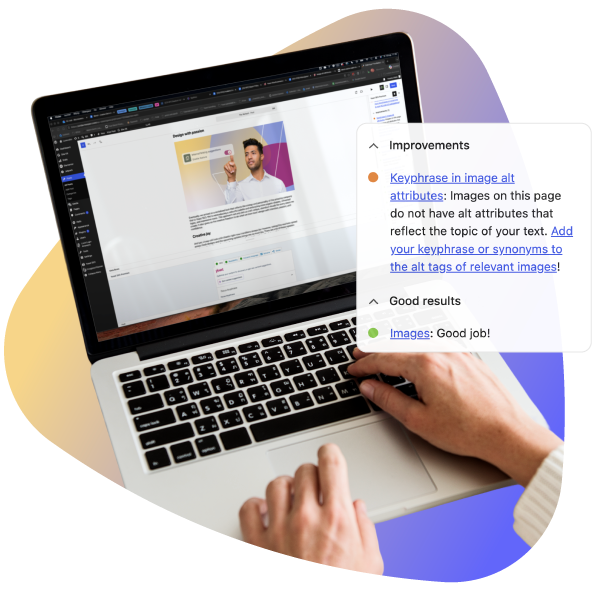
Part of Yoast’s SEO analysis. From one post to thousands of product images, Yoast assesses your alt text as you work, so you catch gaps before you publish.
Included in Yoast SEO, Yoast SEO Premium, Yoast WooCommerce SEO, Yoast SEO for Shopify and Yoast SEO AI+

Built for catalogs
See what’s missing across your catalog in one place

Free in Yoast SEO
The assessments come with the free plugin

Every visitor
Not just the ones who can see the page

What does the image alt attributes check for?
Every informative image on your page needs alt text: a short description that stands in for the image when someone can’t see it. Yoast assesses your images as you write and tells you what to fix.
Images
Lets you know whether your content includes images.
Image alt attributes
On product pages, flags product images that have no alt text. It now focuses on the images that show your product: featured, gallery and variation images. Available in Yoast WooCommerce SEO.
How to fix your image alt text

Fix: images
Add an image that supports your content, then give it alt text that describes what it shows. On product pages, aim for at least four product images.

Fix: image alt attributes
Open the product image or gallery image from your product, then fill in its Alternative text field.

Fix: quality assessment
Describe what’s in the image in a phrase or short sentence. Use your keyphrase only where it fits, and skip “image of”.
What makes alt text good

Decorative
Images that are purely visual, like a divider line, don’t need a description. An empty alt="" is correct, and screen readers skip right past it.

Functional
Images that are also a link or a button need alt text describing what happens when it’s activated, not what the image looks like.

Informative
Images that are there to inform, like a product photo or a diagram, need a real, concise description of their content.
Writing alt text that works


Why this matters in today’s market
Alt text has always done two jobs. It lets screen readers describe images to readers who have low vision. It also gives search engines the context to understand what an image shows. Neither job has ever been optional. However, two things now make getting it right a bigger advantage than it used to be.
Search itself is leaning more on image context
Image search and AI-driven discovery are both growing. Alt text is one of the clearest signals you control for helping search engines and AI systems understand what’s in an image.
Accessibility regulation is tightening
If you sell to or serve customers in the EU or UK, alt text is increasingly part of what regulators expect. It’s not just good practice anymore. These rules reach further than most people expect: e-commerce, banking, e-books, and more, across both regions and beyond*.
Alt text at scale for online stores
Ecommerce catalogs make alt text harder to get right at scale. Hundreds or thousands of product images, often uploaded in a hurry, often with generic or missing descriptions.
- Too thin:
alt="product1234.jpg"oralt="shoe"tells a screen reader user almost nothing, and gives search engines nothing to index the image against - About right:
alt="Men's brown leather lace-up boots, side view"describes what the product is, helps a shopper using a screen reader know what they’re looking at, and helps your product images surface for the right search - Add the product ID when you have one: include the full product name and the product ID (SKU). It’s easier to match the image to the exact item.
- Decorative product-page elements, like a background texture or a section divider, don’t need descriptive alt text at all:
alt=""is correct there, so you’re not adding noise for screen reader users trying to get to the product details

How to stay on top of alt text across your catalog
Step 1: Spot gaps as you go
Yoast assesses each product page as you edit it, so missing alt text gets flagged before you publish.
Step 2: See what’s missing in one place
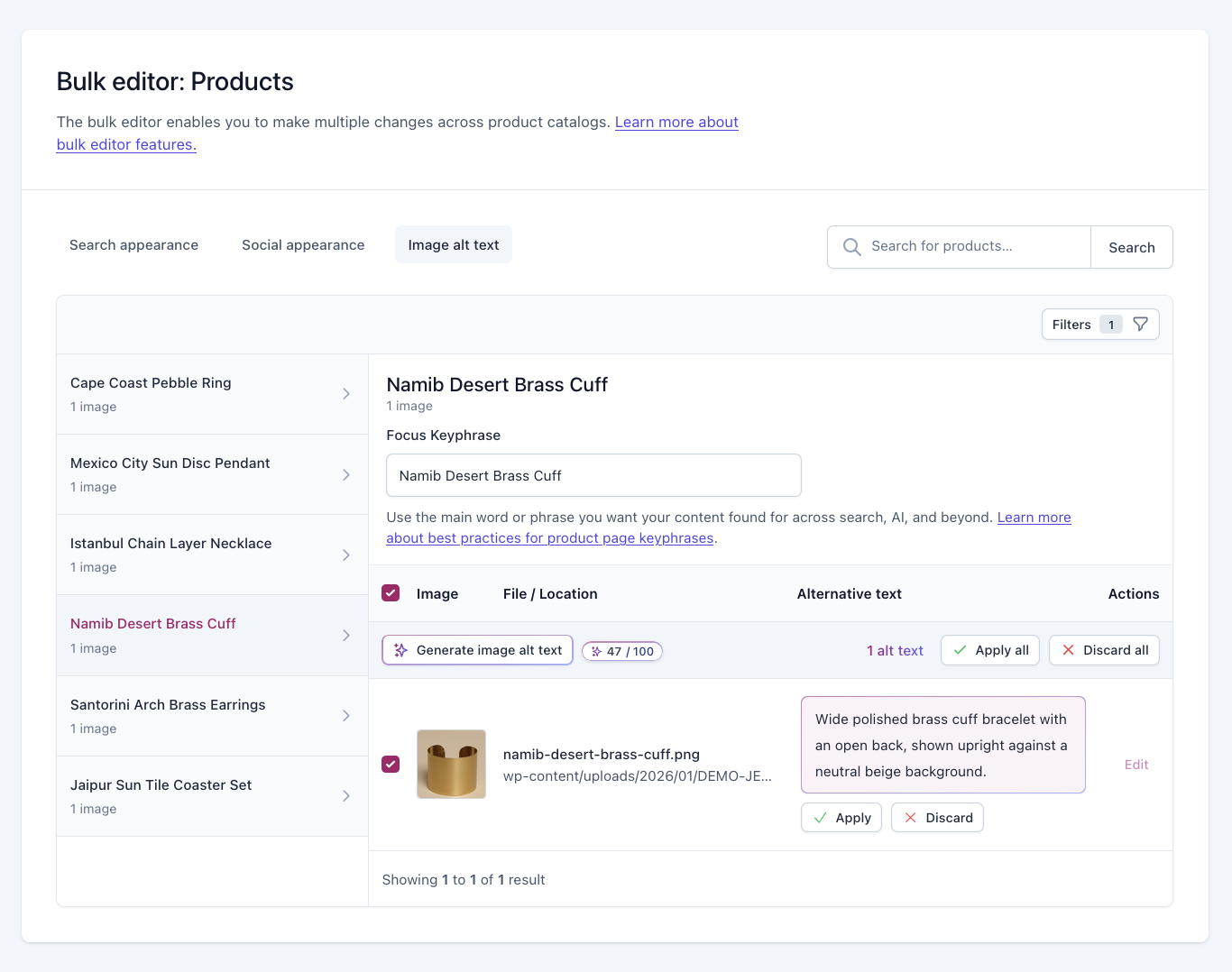
The Image alt text tab in the Yoast bulk editor shows how many of your product images are missing alt text, without opening each product.
Step 3: Clear the backlog faster
Hundreds of images without alt text? With Yoast AI Generate for image alt text, you can clear the backlog without writing every description yourself, and review each suggestion before it saves.
From flagged to fixed
Yoast AI Generate for image alt text
Yoast already shows you which product images are missing alt text. Now you can fix them: generate alt text from your product data and the photo itself, then review and apply what you’re happy with.
Grounded in the photo itself
Descriptions match what’s in the image, without generic filler or made-up details.
Nothing goes live until you say so
Preview every suggestion, then apply, edit or discard it.
Your existing alt text stays put
It only changes if you choose to replace it, after comparing both side by side.
Part of Yoast AI Generate. Explore Yoast AI Generate
What’s in each plan
| Yoast SEO | Yoast SEO Premium | Yoast WooCommerce SEO | Yoast SEO AI+ | Yoast SEO for Shopify | |
| Images: checks that your content includes images | ✓ | ✓ | ✓ | ✓ | ✓ |
| Images on product pages: recommends at least four product images | – | – | ✓ | ✓ | ✓ |
| Image alt attributes: flags product images without alt text | – | – | ✓ | ✓ | ✓ |
| Sharper product image assessments: Images and Image alt attributes count only the product’s own featured, gallery and variation images | – | – | ✓ | ✓ | – |
| Yoast AI Generate for image alt text | – | – | ✓ | ✓ | – |

Yoast WooCommerce SEO
Fix what Yoast flags, across your catalog
Hundreds of images without alt text? Clear the backlog without writing every description yourself, right where you manage your products.
What you get with Yoast WooCommerce SEO:
- Yoast AI Generate for image alt text, at no extra cost
- AI titles and meta descriptions for products and categories
- Bulk edit product metadata in the Bulk Editor
- Everything in Yoast SEO Premium, included
Also included in Yoast SEO AI+.
Did you know?

Using Yoast SEO for Shopify?
You get the image alt text assessments in Yoast SEO for Shopify too. Yoast AI Generate for image alt text is part of Yoast WooCommerce SEO, so it isn’t available in Shopify.
FAQs
Yes, the image assessments are free in Yoast SEO. For product images, Yoast WooCommerce SEO and Yoast SEO for Shopify add the Image alt attributes assessment, and Yoast WooCommerce SEO adds Yoast AI image alt text.
Not directly. It helps search engines and AI platforms understand your images and surface them in image search.
Probably, if you sell to customers in the EU or UK. Rules vary by business size and sector, so confirm with a qualified adviser. Alt text alone doesn’t make a site compliant.
You generate alt text from your product data and the image itself, and in our testing the suggestions rarely got details wrong. You review every one before it saves, so you have the final say.
No. You’ll see your current alt text and the suggestion side by side, and nothing changes unless you choose to replace it.
You can generate alt text for PNG, JPEG, WEBP and non-animated GIF images. For other formats, such as AVIF or SVG, you can still write it yourself.
Yes, the AI features support all languages. However, the performance may vary for less widely used languages.
*The regulatory summary above is a general overview, not legal advice. If you need to confirm exactly how these rules apply to your business, talk to someone qualified in your jurisdiction.