

How to use Yoast SEO in Elementor
Want to start using Yoast SEO in Elementor? With our integration, you can build beautiful and fully-functioning websites without writing a single line of code, and you will be able to use all the features of Yoast SEO.
How to use Yoast SEO in Elementor
To create all content types with Elementor and optimize it with Yoast SEO, follow these steps below.
- In your Posts, Pages, Products or custom post type, add new content
- Click Edit with Elementor

- Build your Post, Page, Product or custom post type
If you need help, read this post on how to build pages in Elementor.
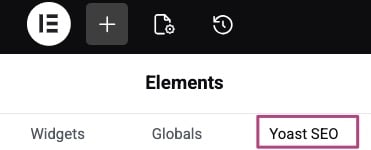
- In the Elementor sidebar, under Elements open Yoast SEO
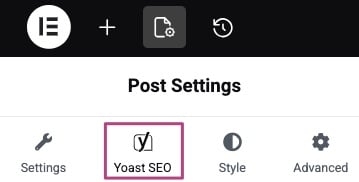
- You can also open the Post Settings to find Yoast SEO
- Use the settings in the Yoast SEO sidebar to optimize your content
All the Yoast SEO (Premium) features are available in the Yoast SEO sidebar.

Get Yoast SEO Premium
Drive more traffic to your site. Use AI to save time doing SEO tasks. Make SEO easier. And get 24/7 support.
Includes Local SEO, Video SEO & News SEO.
$118.80 / year (ex. VAT)
Did this article answer your question?
Thanks for your feedback!
Still having issues?
Try searching for your issue below