

DIRECT SEARCH ENGINES TO YOUR CONTENT
XML Sitemaps
Help search engines find your content and let them know immediately when you publish or update pages.
Included in Yoast SEO, Yoast SEO Premium, Yoast WooCommerce SEO, and Yoast SEO AI+


Content overview
For search engines

Efficient & fast
Optimized sitemaps

Crawl assistant
Save crawl budget

Stay in control
Exclude content if needed
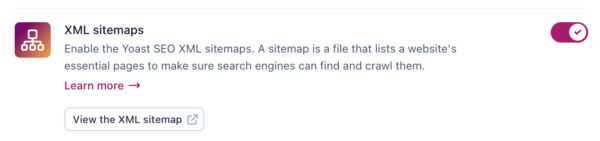
Why do I need an XML sitemap?
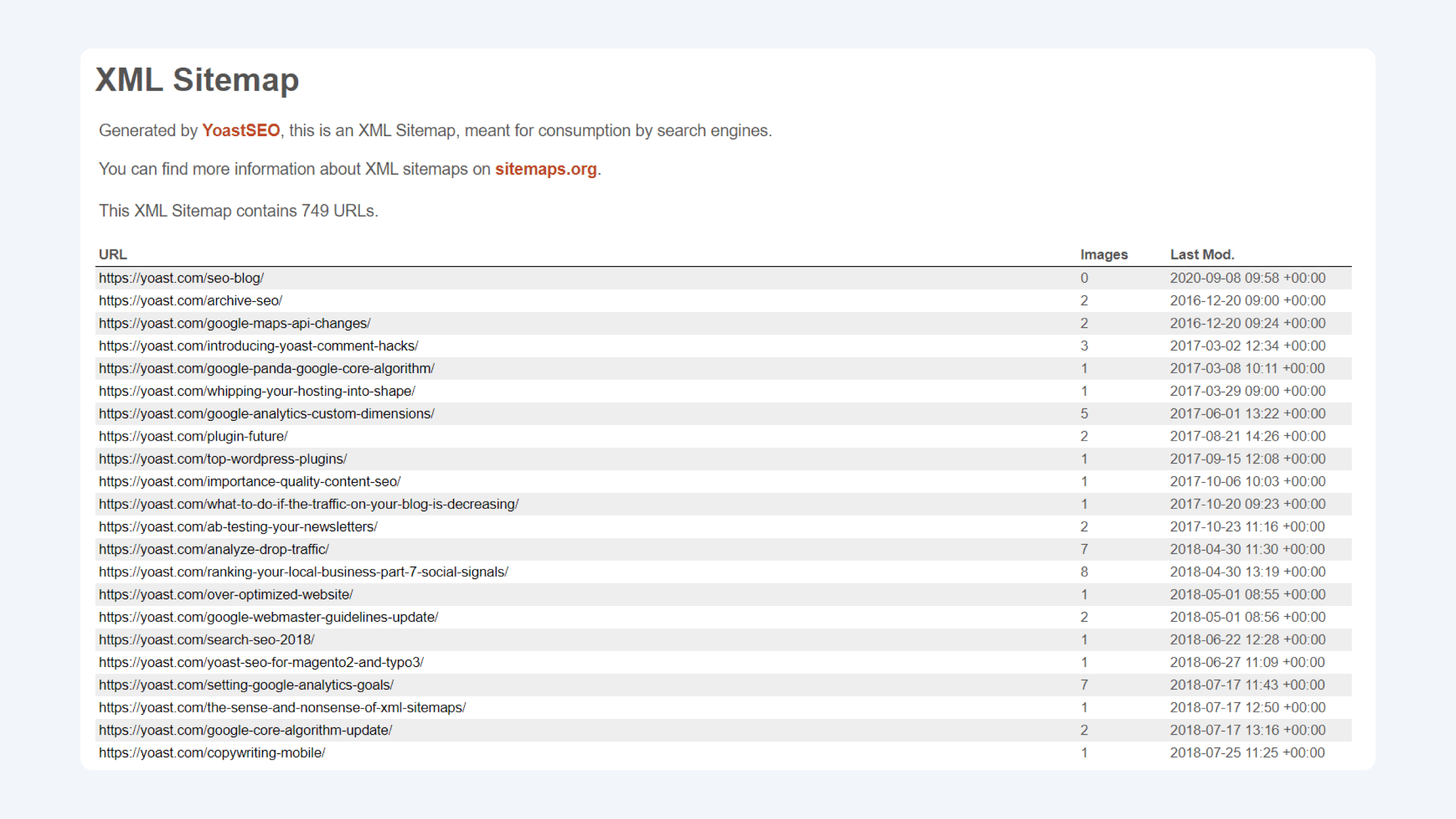
Search engines discover new pages and updated content by following links. However, an even more efficient way for them to find content is by following a map. A sitemap generated by Yoast SEO is a treasure map for search engines. It provides them with directions to all your content and tells them when your pages were last updated. With Yoast SEO, you automatically get robust XML sitemaps for all of your content types.
Why do I need a Yoast XML sitemap?
Ok, so XML sitemaps are important. But why do you need a Yoast XML sitemap in WordPress? Since WordPress 5.5, all WordPress installations automatically generate an XML sitemap. Well, not all sitemaps are built the same. We have been working on the Yoast XML sitemap for years. Over time, it has become increasingly sophisticated. In comparison, the default WordPress sitemap is quite basic.
Keep in mind that sitemaps do not need to be indexed by search engines to be read or parsed. That’s why Yoast automatically adds HTTP headers to these files, saving you from crawl budget issues and index bloat!
Stay in control of your XML sitemap
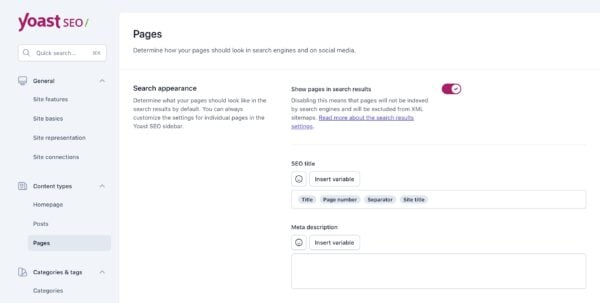
Yoast SEO has a set of sensible defaults for what goes into the sitemap — excluding many pages that shouldn’t end up in your XML sitemap in the first place. If you need more control, you can determine what appears as you see fit. For instance, if you would like to exclude a specific content type from appearing in the sitemap, you simply have to flick a switch in the settings.
What does the Yoast XML sitemap do?
An overview of your content
An XML sitemap is a file with a list of URLs on your site. This standardized way of offering these overviews helps search engines know exactly where to find them and what to expect. This file helps search engines discover your content, understand when it was last updated, whether any new content has been added, and how it all ties together.

Backup for internal linking
Internal linking is vital for your users and search engines. Search engines use links on your pages to discover content and determine which pages should get more weight. Internal linking is important, but is often not done well. An XML sitemap can serve as an alternative for search engines to find your content.

Prioritize important pages
Instead of letting search engines crawl every page on your site, a sitemap can help prioritize your most important pages — saving your crawl budget. By default, Yoast SEO excludes several content types from the XML sitemap because they have no place in a sitemap. Also, you can determine what you do and don’t want to add to your sitemap.
Flexibility & control
Yoast SEO has sensible defaults for what goes into the sitemap, excluding many pages that shouldn’t be there in the first place. If you want more control, you can determine what appears as you see fit. For instance, if you would like to exclude a specific content type from appearing in the XML sitemap, you simply flick a switch in the settings.

Split larger XML sitemaps
While a single sitemap can hold up to 50,000 URLs, Yoast SEO breaks them into smaller sitemaps. Our sitemaps hold up to 1,000 URLs and we’ll make sure to connect them. That makes our XML sitemaps in WordPress speedy and efficient. Yoast SEO splits up large XML sitemaps to keep them fast.

Add your sitemap to Search Console
Once you’ve installed Yoast SEO and your XML sitemap is activated, you should add your sitemap to Google Search Console and other webmaster tools. Simply add your website to Search Console first, then add your sitemap. You’ll notice when Google has come around to check the sitemap and whether it found any issues.
The right sitemap for your website
Depending on your content and website, you might benefit from additional, more specific sitemaps in addition to your main XML sitemap. Check them out here:

Video Sitemap
Generates a dedicated sitemap listing all videos on your site. This helps search engines index your videos faster, increasing the chance of appearing in search and video results. Included in Yoast SEO Premium, Yoast WooCommerce SEO and Yoast SEO AI+.

Product Sitemap
A product-specific sitemap that includes essentials like product images and excludes hidden products and other non-shopping pages. This allows search engines to focus on your most valuable pages. Included in Yoast WooCommerce SEO and Yoast SEO AI+.

News Sitemap
Generates a sitemap that highlights your latest news articles for search engines. This helps your content get indexed faster and appear in news-related search results when it’s most relevant. Included in Yoast SEO Premium, Yoast WooCommerce SEO and Yoast SEO AI+.