

One place to handle all your redirects
Redirect Manager
Generate and manage redirects easily whenever you change or remove a URL. Keep visitors out of dead ends, preserve your hard-earned rankings, and make sure search engines always land on the right page.
Included in Yoast SEO Premium, Yoast SEO AI+, and Yoast WooCommerce SEO

Avoid broken links with redirects
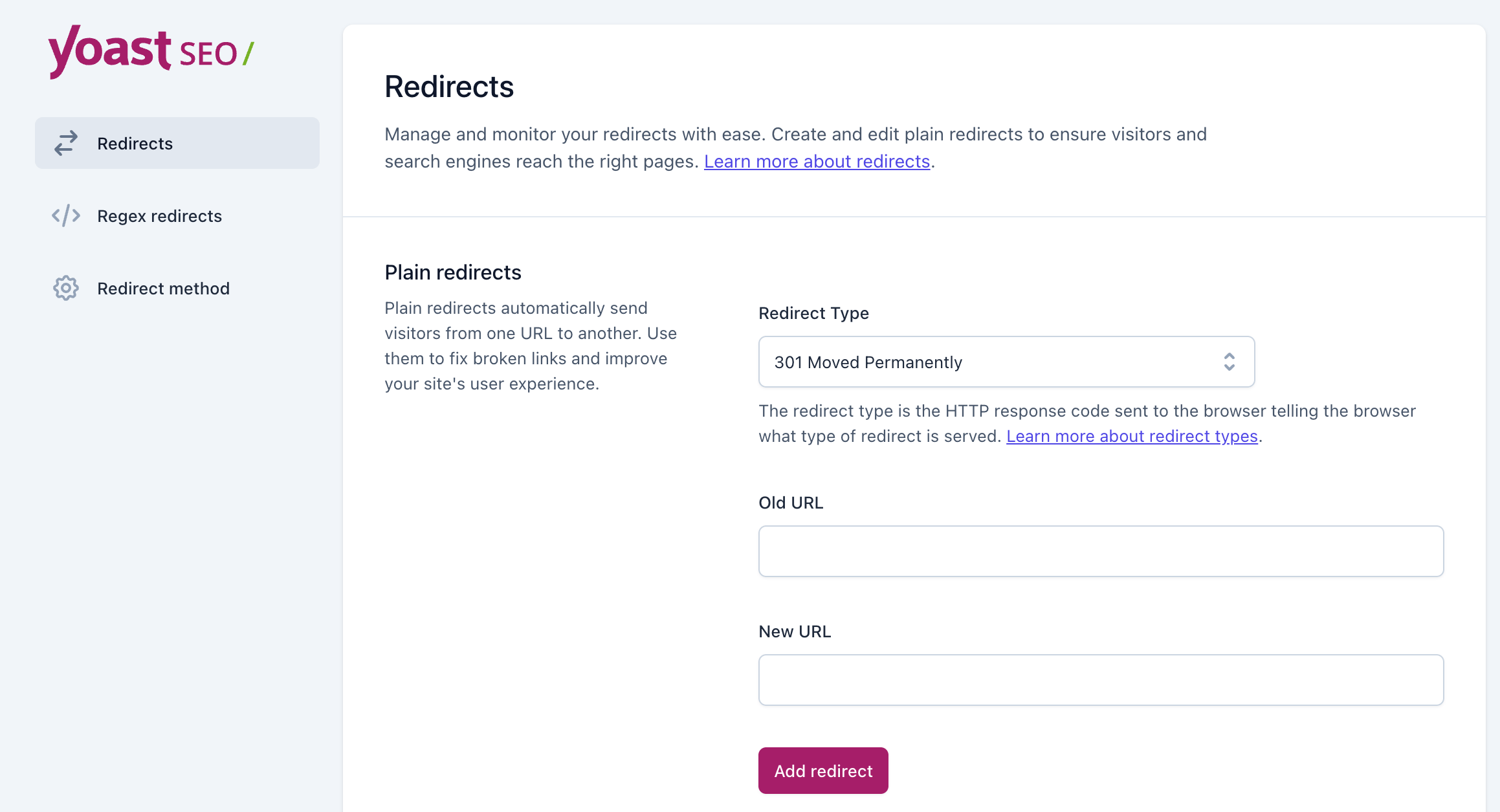
Moving or deleting website content happens. But broken links frustrate visitors and hurt your SEO. Redirects fix this by sending users and search engines to the right place. Managing all these rules can get messy, but Yoast SEO’s Redirect Manager makes it easy.
Why do you need a redirect manager?
Deleting a page doesn’t remove it from search results. Visitors might still click and hit a 404 error. That frustrates users and breaks their journey.
Yoast SEO’s Redirect Manager fixes this. It creates and tracks redirects so no one gets lost. Even better? It sets them up automatically when you move or delete content. Less work for you, smoother experience for visitors, and search engines stay happy.
See how the redirect manager works
What you can do with the redirect manager

Create on delete
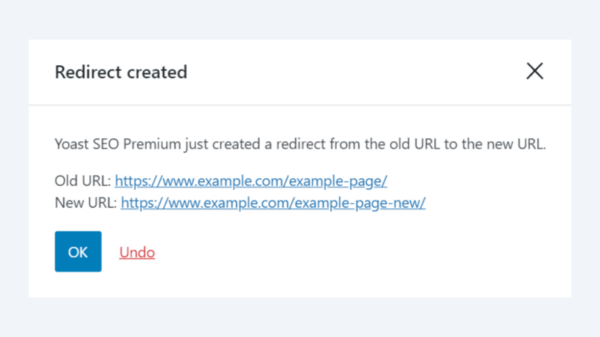
When you delete a post or page, we’ll immediately ask what you’d like to do with the old URL, with the most common options ready to choose from.

Create on move
Change a URL and we’ll automatically redirect it for you, seamlessly sending users and search engines from old to new. Works for categories, tags, and custom post types too.

See and manage
All your redirects live right in your site admin, where you can search, sort, and filter them. Undo, ignore, or disable automatic redirects any time.

REGEX patterns
Write one rule instead of hundreds. Redirect a whole group of URLs that share a word or pattern in a single redirect.

Import and export
Already have redirects elsewhere? Import them from a CSV. Need bulk changes? Export your rules, edit, and re-upload.

Built to scale
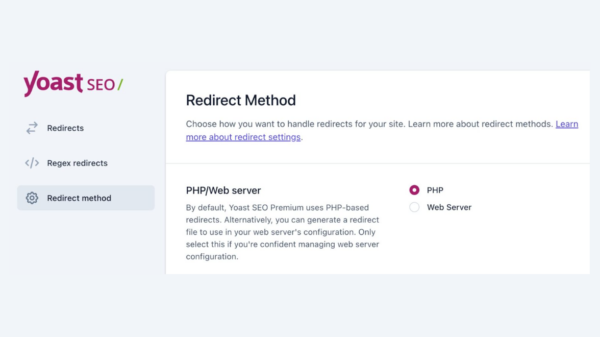
Managing lots of redirects isn’t a problem. Configure the redirect manager to write straight to your Apache or NGINX config for speed.
Create redirects when you delete pages
When you delete a post or page, we’ll immediately ask you what you’d like to do with the old URL. To make things easier, we’ll give you the most common options to choose from.
Full control over types
Choose redirect types and HTTP statuses
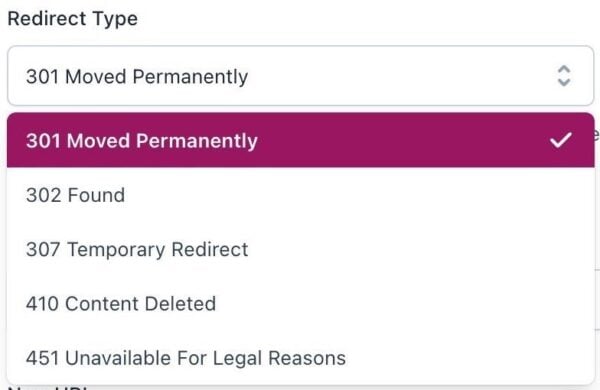
There are different reasons to move or delete a page, and so there are different types of redirects. You can manage all of those different types of redirects and HTTP statuses seamlessly, and pick the best one for each case.
301 (Permanent redirect)
When search engines encounter a 301 redirect, they follow it to the new destination and pass all relevant ranking and context signals to that URL. The redirect manager automatically creates 301 redirects when you delete or move your pages.
410 (Content deleted)
You can use this redirect when you delete a post or page for good, and you know it will not be coming back. The 410 code tells search engines to remove the page from their index. That’s the fastest, most reliable way to permanently remove content from search engines.
302 (Found) and 307 (Temporary redirect)
Sometimes, you might only be moving a page temporarily, say, for a special offer, or unexpected event. In these cases, you can configure a temporary redirect, which can help search engines to better understand your situation. That’ll keep the right pages ranking and ensure everything returns to normal once you remove the redirect.
451 (Content unavailable for legal reasons)
It’s rare to need to use a 451 status, but it can come in handy if you ever have to remove content for legal reasons.

Automatic redirects
No more 404 errors. Redirects update instantly when you move or delete pages
Import or export redirects
Already have redirects? Import them from a CSV file. Need bulk changes? Export your rules, edit, and re-upload

Bulk redirects with REGEX
Redirect hundreds of URLs at once. Use REGEX patterns to match groups of pages and redirect them quickly
Ready to get started?
Using the Redirect Manager is easy. If you already have Yoast SEO Premium, just follow the instructions in this help article.
Frequently asked questions
Yes. The redirect manager is included in Yoast WooCommerce SEO, and Yoast SEO for Shopify has its own built-in redirect tools tailored to that platform.
Your redirects are stored in Yoast SEO, not your theme, so switching themes won’t affect them.
Yes. You can import existing redirects using a CSV file or copy them over from an .htaccess file.
Redirects don’t boost rankings on their own, but they help preserve the value of your existing pages by making sure links, visitors, and search engines all reach the right destination instead of a dead end.
Get Yoast SEO Premium
The Redirect Manager is available in the following Yoast products:

Yoast SEO Premium gives entrepreneurs and in-house teams real-time SEO guidance, so content meets best practices and drives visibility, no expert knowledge needed

For marketers and content publishers looking to boost brand awareness and visibility, this package combines powerful on page SEO tools with AI brand monitoring and insights.

Built for WooCommerce stores, this bundle helps your products stand out in Google with rich results and smart SEO, plus Yoast SEO Premium to save time and boost visibility.