

See what’s working. Act on what’s not
Dashboard
See your SEO and readability scores next to real Search Console and Analytics data, all in one dashboard. Connect Google once, and you’ll always know what’s working and what needs attention.
Included in Yoast SEO, Yoast SEO Premium, Yoast WooCommerce SEO, Yoast SEO AI+ and Yoast SEO for Shopify
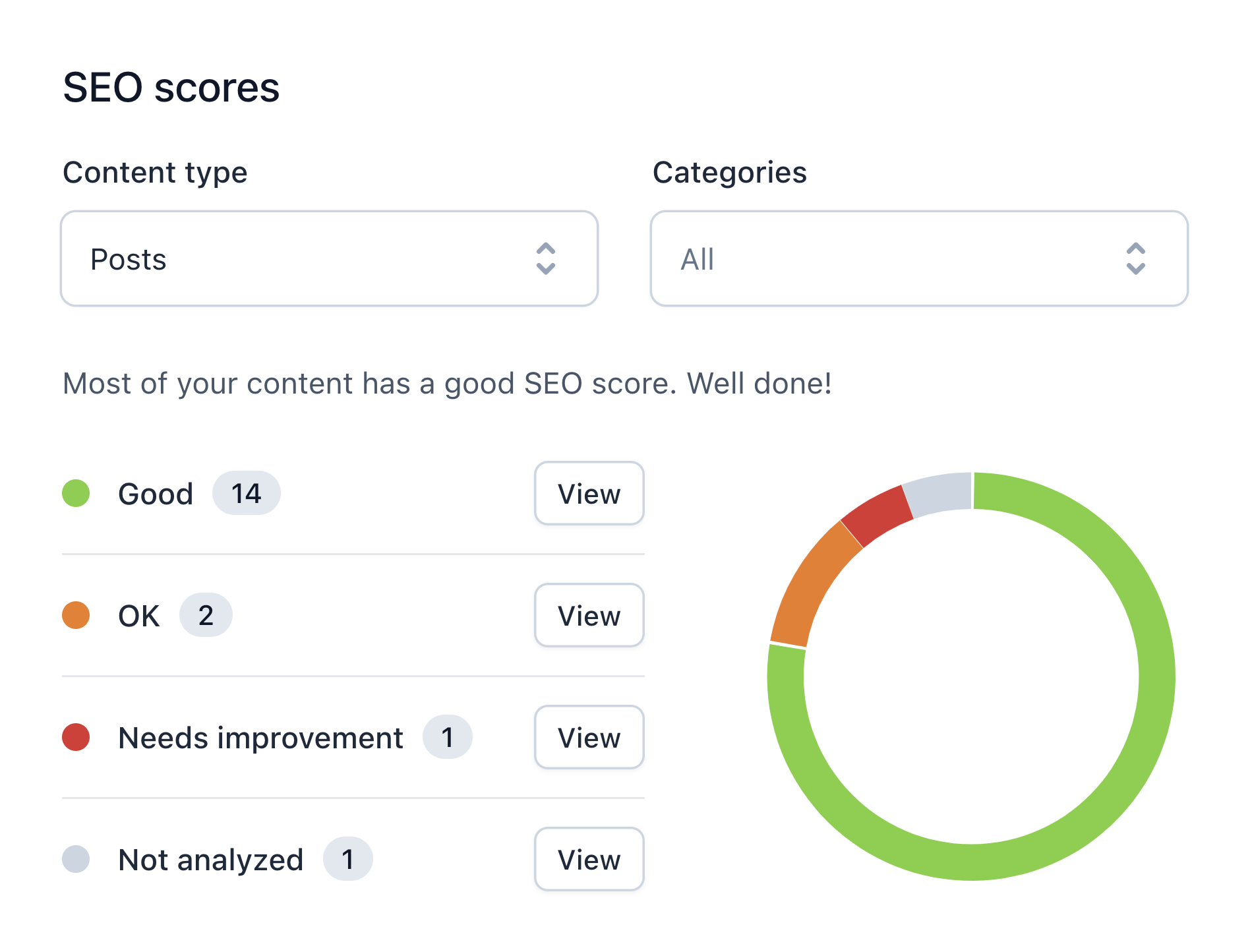

Site-wide scores
SEO and readability, at a glance

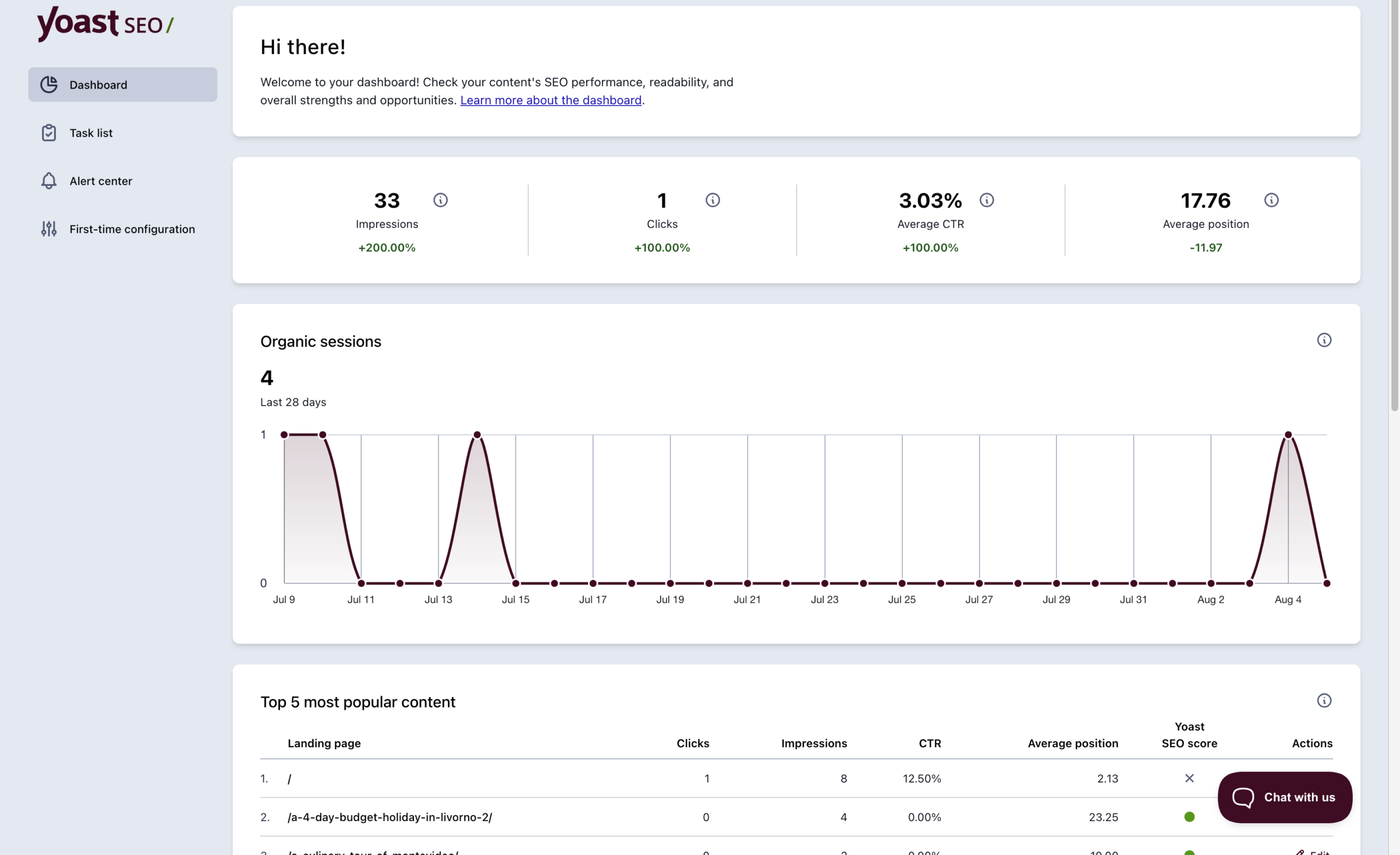
Real search data
Search Console and Analytics, no extra login

One click, no setup
Built into Yoast SEO for everyone
Why the Dashboard saves you the digging
Checking how your content is doing usually means opening page after page, or leaving WordPress altogether to dig through Search Console and Analytics. That’s slow, and it’s easy to miss patterns when you’re only ever looking at one post at a time.
The Dashboard brings your SEO and readability scores together in a single, site-wide view, so you can spot what’s working and what needs attention without opening every page individually.
Connect Site Kit by Google, and your Search Console and Analytics data sits right alongside those scores, so you can see how content quality connects to real search performance in one place.
Who the Yoast SEO Dashboard helps

New to SEO
Get a clear, high-level read on your site without needing to know what to look for first.

In-house marketing teams
Give the whole team one shared view of content quality, without extra tool access to manage.

Agencies managing client sites
Spot widespread issues fast, without auditing every page and post by hand.

Sites with lots of content
See patterns across hundreds of pages instead of investigating one at a time.

Ongoing content maintenance
Catch content quality slipping before it becomes a bigger problem.

Anyone tracking real performance
Connect Site Kit and see search data next to your scores, without switching tools.
SEO for every team, not just the experts

Yoast SEO Premium gives entrepreneurs and in-house teams real-time SEO guidance, so content meets best practices and drives visibility, no expert knowledge needed
Includes all free features, plus:
Take the guesswork out of SEO and get tools that help you grow, right where you work.
Site-wide SEO and readability scores across all your content, filterable by content type and category, plus Search Console and Analytics data if you’ve connected Site Kit by Google.
No. The scores and site-wide overview work without it. Connecting Site Kit adds real search performance data alongside those scores, but it’s optional.
Yes. It’s built into Yoast SEO for everyone, no upgrade needed, and included in every paid plan too.
It’s a score showing how easy your content is to read, based on things like sentence length, paragraph structure, and use of transition words. The Dashboard shows it site-wide, alongside your SEO score, so you can see content quality at a glance without opening every page. Full details are on the Readability analysis page.
Connect Site Kit by Google to Yoast SEO once, and your Analytics and Search Console data shows up directly in your Yoast Dashboard. Full steps are in this help article on enabling the Site Kit integration.
Yes. Once Site Kit is connected, impressions, clicks, CTR, average position, and organic sessions all show up in your Yoast Dashboard, next to your SEO and readability scores.
It’s in your WordPress sidebar under the Yoast SEO menu, it’s the first page you land on. Full details are in this help article on the Yoast SEO Dashboard.
Follow the steps in this help article on enabling the Site Kit integration.