

Edit without risking the live page
Yoast Duplicate Post
Your live pages deserve to stay live. Yoast Duplicate Post lets you clone any post or page instantly, one at a time or by the dozen, then edit safely with no downtime.


One-click cloning
Instant duplicates

Live-safe editing
Zero downtime

Full control
Roles & visibility

Scheduled merge
Publish on your time
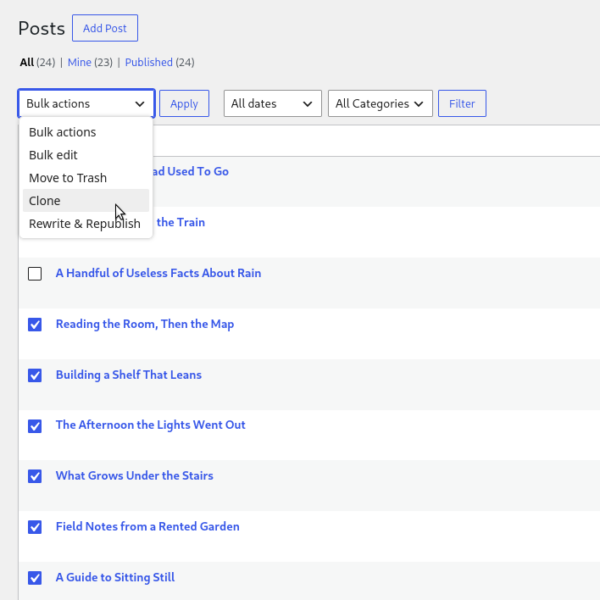
Clone at scale
Cloning one page at a time works fine, until you need ten. Select as many posts or pages as you like from your post list, then choose Clone from the Bulk Actions dropdown to duplicate them all in one go. It’s the fastest way to build a set of similar pages.
Clone from the front end
Most duplication happens in wp-admin, but it doesn’t have to. Add the plugin’s template tag to your theme, and logged-in users can clone a post straight from the live site, no trip to the dashboard required.
A must-have for content-heavy sites!
Bulk editing posts has never been easier. The plugin handles even custom fields efficiently. A must-have for content-heavy sites!
@evesp on WordPress.org
Why live edits are risky
Editing a published page directly means every change is visible the moment you make it. Half-finished sentences, broken layout, and missing images are all on show while you work. There’s no safe way to draft changes to something that’s already live, so most people either rush the edit or leave pages outdated rather than risk it. Yoast Duplicate Post removes that risk entirely.

Rewrite & Republish
Click Rewrite & Republish, and the plugin creates a working copy of your live page while the original stays online and untouched. Make your changes there, on your own schedule, in the block editor or Elementor.
When you’re ready, publish, and your edits merge straight into the original at the same URL, either right away or at a time you schedule. The original stays live the whole time, so visitors never see a half-finished page, and there’s no manual copy-pasting to get your changes back into place once you’re done.
What people use it for

Sales & landing pages
Turn an existing page into a template for a new product, without risking the one that’s already converting.

High-traffic posts
Back up an important post or page before a big edit, so you always have the original to fall back on.

Repeatable page sets
Build a set of similar pages, like events or locations, fast, from one template.

Client handoffs
Duplicate a draft you’ve already set up, then let a client or teammate fill in their own content.

Copy & design testing
Test a content or layout change without touching the live version visitors are seeing.

Connected copies
See how a copy relates to its original at a glance, right in the post list or block editor sidebar.
See it in action
Watch the whole workflow, from clicking Rewrite & Republish to the final merge, in under five minutes.
FAQs
Rewrite & Republish is a feature that lets you edit a live page safely, without your changes going public until you’re ready. It creates a private working copy of the page, so visitors keep seeing the original while you make edits, get feedback, or finish the work over several sessions. When you’re done, it merges your changes back into the original page automatically, keeping the same URL.
Install the Yoast Duplicate Post plugin, then use the Clone or New Draft link that appears in your post list, in the admin bar, or in the post editor. Clone makes an instant copy; New Draft makes a copy and opens it in the editor right away.
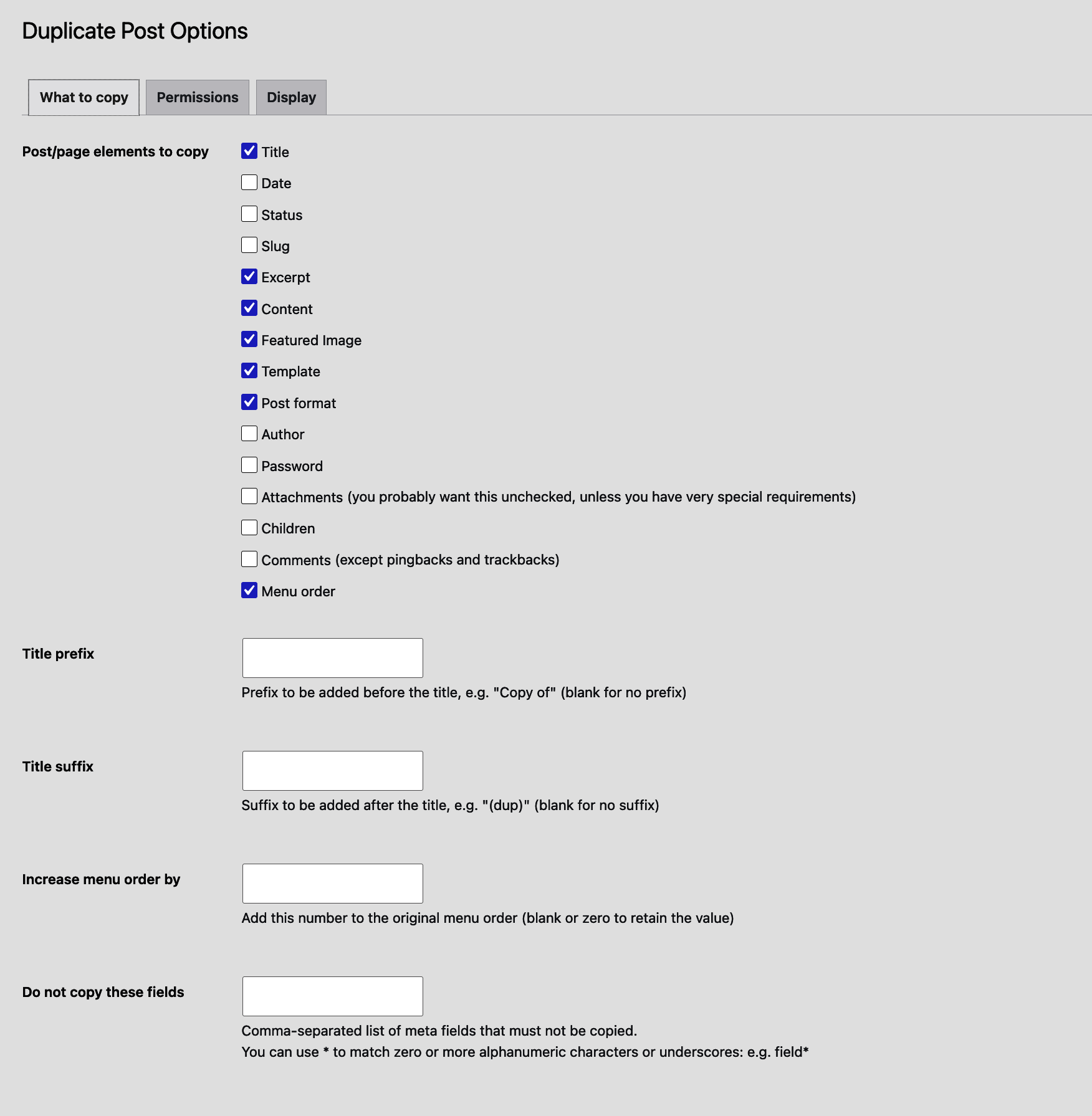
Yes. Yoast Duplicate Post copies the featured image, meta data, and any SEO settings you’ve added, including fields from Yoast SEO, so the duplicate starts identical to the original rather than a stripped-down version.
Yes, the plugin is completely free with no paid tier of its own. Yoast SEO Premium is a separate product; it works alongside Yoast Duplicate Post but isn’t required to use it. Duplicate Post is kept compatible with the rest of the Yoast ecosystem, so your SEO settings carry over cleanly whichever Yoast products you’re running.

Yoast SEO Premium
Make every rewrite count
You’re already editing safely with Duplicate Post. Yoast SEO Premium makes sure every rewrite is optimized too, with real-time guidance built right into the editor as you work.
- Real-time SEO guidance while you write and rewrite
- AI-assisted suggestions, right in the editor
- Automatic redirects if a URL ever changes
- Multiple keyphrase optimization per page
- Full access to Yoast SEO Academy courses
- 24/7 support from real people