

Stop guessing what to write next
AI Content Planner
Yoast AI Content Planner scans your content, spots the gaps that matter, and surfaces five ready-to-act-on post ideas right inside the editor.
Included in Yoast SEO Premium, Yoast WooCommerce SEO and Yoast SEO AI+.

From blank page to structured draft, in a single click
The hardest part of content isn’t writing, it’s deciding what to write. Yoast AI Content Planner can help you with that.
No more guesswork
Get content-aware post ideas
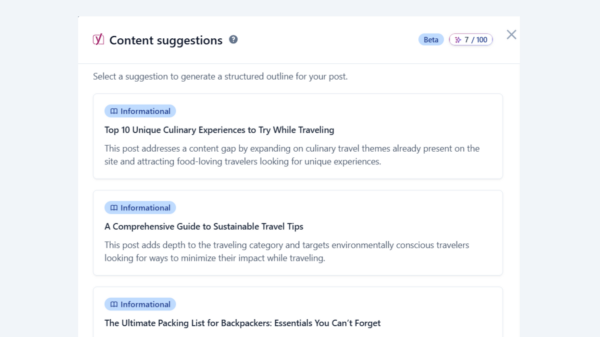
Yoast analyses your existing content to surface five post ideas that fill real gaps. Every suggestion is shaped by what you’ve already published and the audience you’re already speaking to.
- Five ideas generated from your content, not generic topics
- Picks up the gaps in your existing coverage
- Regenerate easily if the first set doesn’t fit
Easy one-click drafts
From idea to draft, instantly
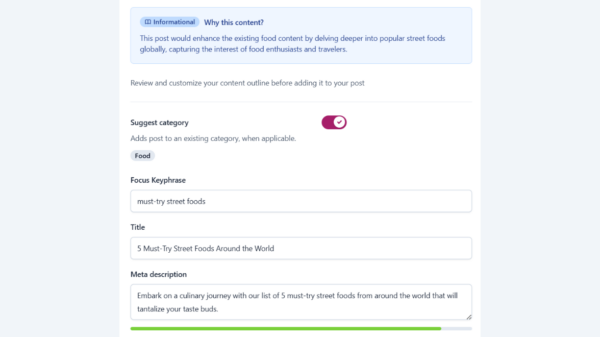
Pick the idea you want and Yoast turns it into a structured draft inside the WordPress editor. Everything you need to start writing is already in place.
- SEO title and focus keyphrase, suggested for you
- H2 outline so the structure is set before you start
- Meta description, ready to refine
- Content notes for each section, so you never miss what comes next
Quick idea generation
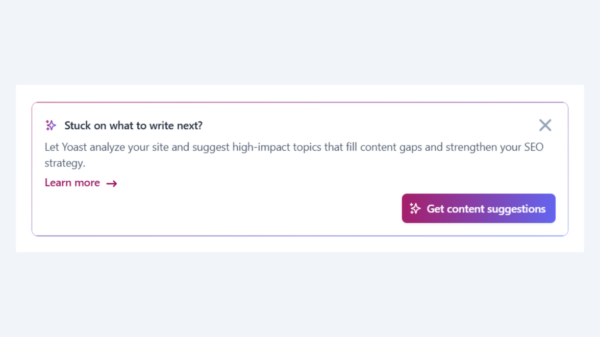
Not feeling it? Try new suggestions
If the first set of ideas doesn’t quite land, generate a fresh five with one additional spark. Simply close the list and click “Get content suggestions” again. You stay in control of what you write – Yoast just keeps the options coming.
An outline you can shape
Built-in titles, headings and notes
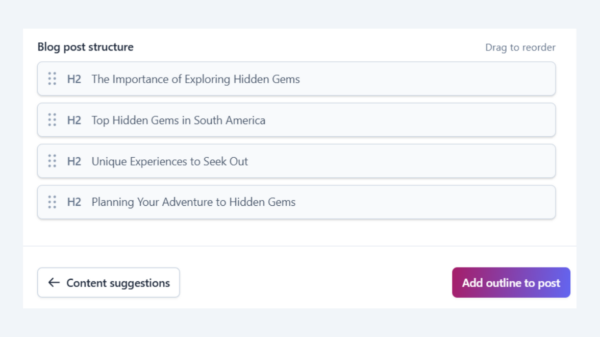
Every starter draft comes with an H2 outline and content notes for each section, so you always know what to cover next. Want a different flow? Rearrange the headings to suit how you want the post to read.
- A clear title and H2 outline, ready to go
- Content notes under each section to guide you
- Drag and rearrange your headings to fit your structure
Made for anyone who writes regularly

Bloggers and content creators
You want to publish more consistently, but ideation eats up the hours you’d rather spend writing. The Yoast AI Content Planner gives you five relevant ideas the moment you open a new post, so you can skip the staring and start drafting.

Marketers or in-house teams
You’ve got a content calendar to feed and not much time to feed it. Yoast surfaces site-specific ideas and turns the one you choose into a structured draft, helping you move from planning to publishing without the usual back-and-forth.

Site owners
You’ve built up a library of content and you know there are gaps, you’re just not sure where. Yoast analyses what you’ve already published and points you to the ideas that fill those gaps, so every new post adds to what you’ve built.
Frequently asked questions
Yoast AI Content Planner is a paid feature, included in Yoast SEO Premium, Yoast WooCommerce SEO and Yoast SEO AI+. However, if you still have free sparks left, you can use these for the Content Planner feature. Once those are used up, you’ll need to upgrade to a paid WordPress product.
Yoast analyses your existing blog content to spot relevant gaps, then generates five post ideas that fit what you already publish. The suggestions are specific to your site, not generic topics that could apply anywhere.
You can regenerate a fresh set of five ideas if you wish, simply close the list and click the “Get content suggestions” button again. If a particular idea is close but not quite right, you can also pick it and edit the draft to suit your direction.
No. Yoast AI Content Planner lives inside the WordPress editor you already use.
Yoast builds suggestions from your existing content and structure, so a site with very little published content may not have enough for reliable ideas. If that’s the case, you’ll see a low-confidence warning letting you know.
At the moment, Yoast AI Content Planner is built for blog posts, where the structured draft format adds the most value. It’s available from any new post in the WordPress editor.
Currently, the Yoast AI Content Planner works with the WordPress Block Editor only. If you’re using the Classic Editor or a page builder like Elementor, the content planner won’t appear. To use it, switch to the Block Editor when creating or editing your posts.
Want to take your SEO even further?

For marketers and content publishers looking to boost brand awareness and visibility, this package combines powerful on page SEO tools with AI brand monitoring and insights.
Includes all WooCommerce SEO features, plus:
Take the guesswork out of SEO and get tools that help you grow, right where you work.
See how AI Content Planner fits into Yoast’s wider approach to AI features.